
Track endpoint availability, telemetry gaps, and agent health before they affect security visibility.
XDRShield Agent Health Monitoring helps operators understand whether endpoint agents are reporting as expected, where telemetry gaps exist, and which systems need attention before detection, inventory, policy, or response decisions rely on stale data.
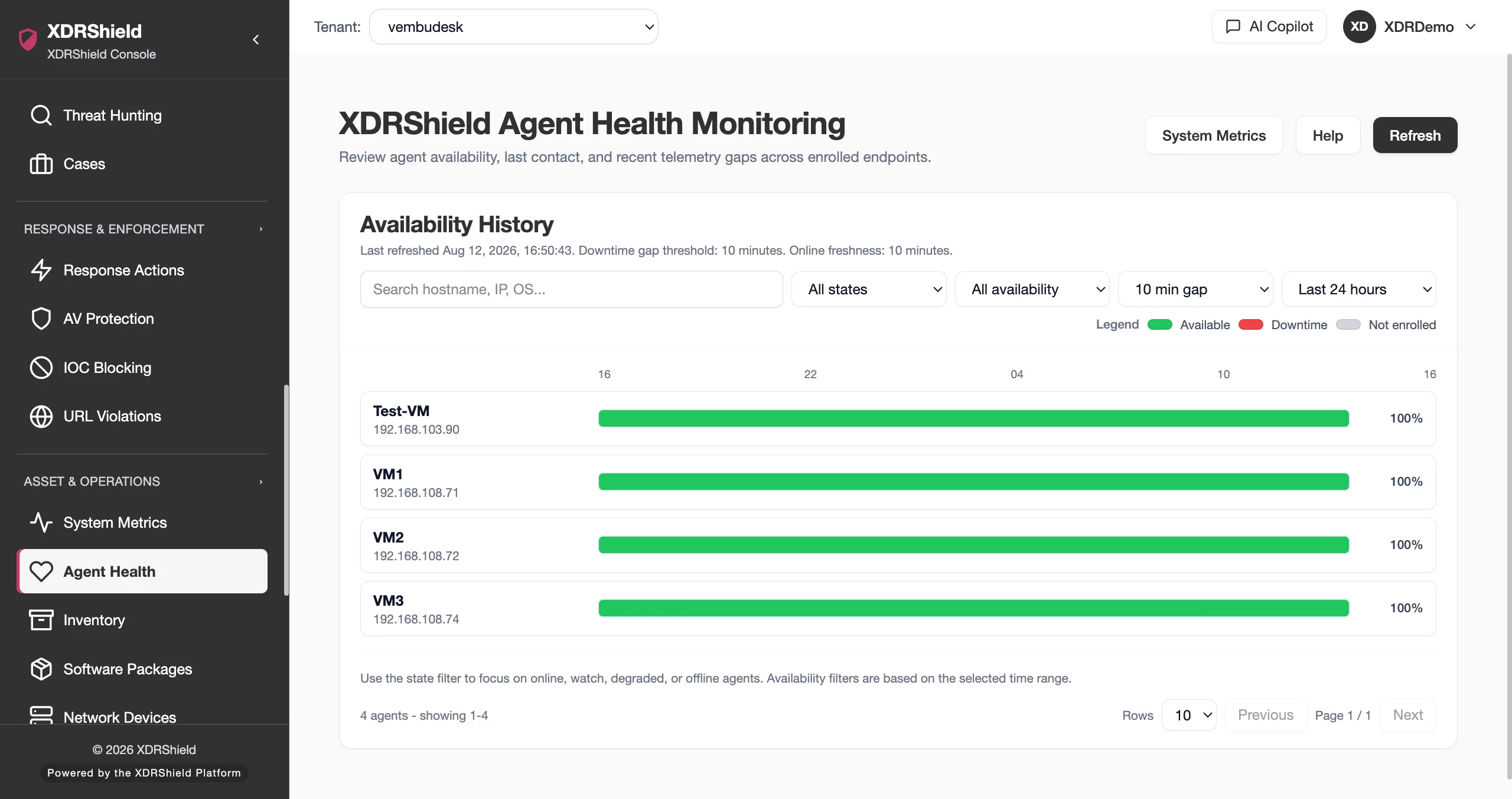
Agent health is the reliability layer behind every endpoint security workflow.
Detection, inventory, policy sync, alert triage, and response workflows all depend on endpoint agents reporting consistently. Agent Health Monitoring gives operations teams a practical view of reporting continuity, recent gaps, and endpoints that need follow-up.
Review availability timelines, downtime thresholds, and health states in one operational view.
The health view compares expected telemetry continuity with observed reporting. Green availability segments show normal reporting; red downtime segments show gaps longer than the configured threshold. Operators can adjust thresholds for environments with different reporting patterns, then filter to healthy, drifting, or unavailable agents.
- Availability history shows each agent as a horizontal timeline for fast gap recognition.
- Downtime is inferred from missing metric samples beyond the selected graph-gap threshold.
- State filters combine online status, freshness windows, and last 24-hour availability.
- Search and scoped filtering help teams isolate endpoints that need agent, network, or policy attention.
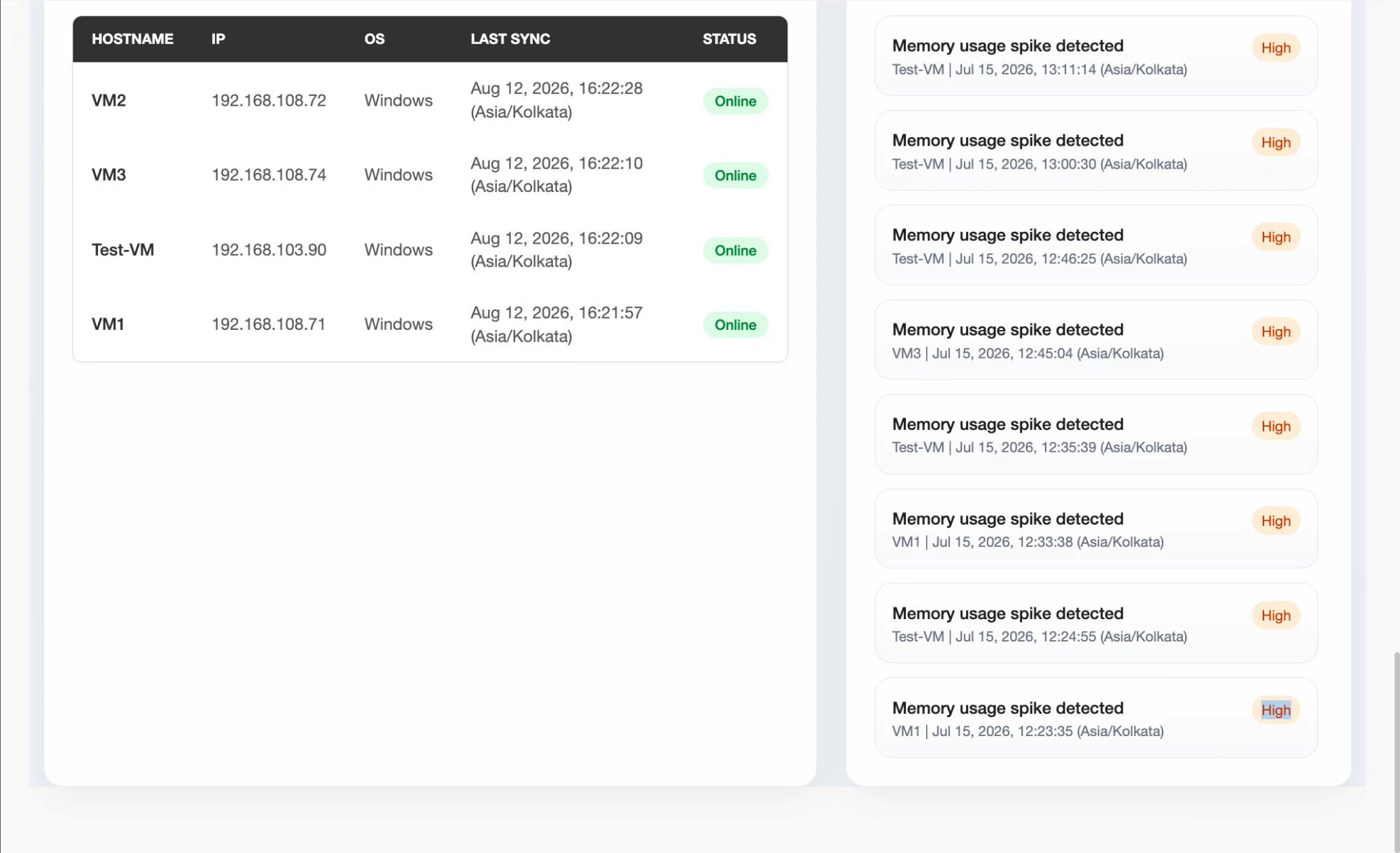
What XDRShield Agent Health Monitoring helps teams do.
Each capability helps administrators distinguish normal reporting delays from operational risk, triage unhealthy endpoints, and keep endpoint visibility trustworthy.
Availability timeline review
See each agent’s reporting continuity over time, with visual segments that separate expected telemetry from downtime gaps.
Downtime gap thresholding
Adjust graph-gap thresholds to suit standard or slower-reporting environments without misreading expected delays as outages.
Health-state filtering
Filter by healthy, drifting, or unavailable state using current online status, freshness, and recent availability.
Last-seen validation
Check whether an endpoint recently reported before trusting alert, inventory, policy, or response context.
Policy readiness checks
Use health status before assigning or troubleshooting policies so missing sync is not mistaken for policy failure.
Operational exception triage
Separate agent, network, endpoint, and tenant-scope issues from true security findings during investigation.
Review and audit evidence
Keep availability and gap context available for operational review, customer follow-up, and service reporting.
Tenant-scoped health operations
Manage health reviews by customer, workspace, or operational scope without mixing unrelated endpoint populations.
From health signal to endpoint follow-up.
A repeatable agent-health workflow helps teams move from broad visibility into targeted remediation without overreacting to normal reporting variation.
Select the right scope
Choose tenant, customer, platform, or endpoint filters before reviewing health so the queue reflects the operational group you own.
Review current state
Check online status, freshness, and last-reported telemetry to confirm whether the endpoint is available now.
Inspect availability history
Use the timeline to identify repeated gaps, long outages, or recent downtime that may affect evidence quality.
Tune threshold context
Apply an appropriate downtime threshold for the environment so slower reporting patterns are interpreted correctly.
Prioritize follow-up
Start with unavailable or repeatedly drifting agents that affect critical systems, active policies, or open investigations.
Validate recovery
Refresh health and last-sync context after remediation to confirm the agent has returned to expected reporting.
Where Agent Health Monitoring helps most.
Use health monitoring when endpoint reporting reliability affects detection coverage, operational SLAs, policy rollout, or customer support.
Coverage assurance
Confirm agents are reporting before relying on file, registry, process, URL, AV, IOC, inventory, or vulnerability evidence.
Downtime analysis
Identify repeated or extended telemetry gaps that may indicate endpoint shutdown, network blockage, or agent service issues.
Policy rollout validation
Check health and sync status before investigating why a policy, rule, or assignment does not appear to be active.
Incident investigation support
Validate whether an endpoint was reporting during the incident window before interpreting missing evidence.
Service review reporting
Use availability history as operational evidence for MSP customer reviews and internal uptime follow-up.
Multi-tenant operations
Triage unhealthy agents by customer or workspace so service-provider teams can keep ownership clear.
Understand the operational meaning of common health signals.
This comparison helps teams decide whether to watch, investigate, or remediate an endpoint based on reporting behavior.
| Area | What it means | How teams use it |
|---|---|---|
| Available | The agent reported telemetry within the expected heartbeat/freshness window. | Use as normal monitoring context, while still checking policy sync for new assignments. |
| Drifting or intermittent | The agent has recent telemetry but shows gaps or reduced availability over the selected period. | Review network stability, endpoint sleep/offline patterns, service state, and threshold selection. |
| Unavailable | The agent has not reported within the expected freshness window or has extended downtime. | Prioritize remediation when the endpoint is business-critical or part of an active investigation. |
| Stale evidence risk | Security, inventory, or policy data may not represent the current endpoint state. | Validate health before making response or compliance decisions from old telemetry. |
Agent health for security and operations teams.
The same health data supports different decisions across SOC, IT, and service-provider workflows.
For SOC and investigation teams
Use agent health to validate whether missing evidence is meaningful during alert triage, hunts, and case timelines.
- Check if an endpoint was reporting during the incident window.
- Avoid assuming no telemetry means no suspicious activity.
- Escalate unavailable endpoints that affect active cases.
For IT and MSP operations
Use agent health to maintain endpoint coverage, troubleshoot reporting gaps, and support customer-facing service reviews.
- Prioritize unavailable agents by tenant, platform, and criticality.
- Validate policy deployment and sync readiness.
- Use availability history for operational review and follow-up.
Agent Health Monitoring FAQs.
What is Agent Health Monitoring in XDRShield?
Agent Health Monitoring shows endpoint agent availability, telemetry freshness, downtime gaps, and health-state filters so teams can identify endpoints that are not reporting reliably.
How is downtime identified?
Downtime is inferred when expected telemetry samples are missing for longer than the configured graph-gap threshold. Teams can choose a threshold that matches normal reporting behavior for the environment.
Why does agent health matter for security operations?
Alerts, events, inventory, policies, and response decisions depend on current endpoint telemetry. If an agent is stale or unavailable, security evidence may be incomplete.
Can MSP teams review agent health by customer?
Yes. Agent health review is designed for tenant-scoped operations so service-provider teams can focus follow-up by customer, workspace, platform, or endpoint set.
What should teams check before broad agent remediation?
Start with filters, last-seen time, availability history, endpoint state, network conditions, and policy sync context. Avoid treating every short reporting delay as a failure.
Find unhealthy agents before they create blind spots.
Use XDRShield Agent Health Monitoring to track reporting continuity, prioritize unhealthy endpoints, and keep detection and investigation evidence dependable.












