
Track administrative activity, configuration changes, and operational decisions with tenant-aware evidence.
XDRShield Activity Logs help security, IT, and service-provider teams review who changed what, when it happened, where it applied, and whether the operation succeeded, so administrative activity remains traceable during audits, investigations, and customer reviews.
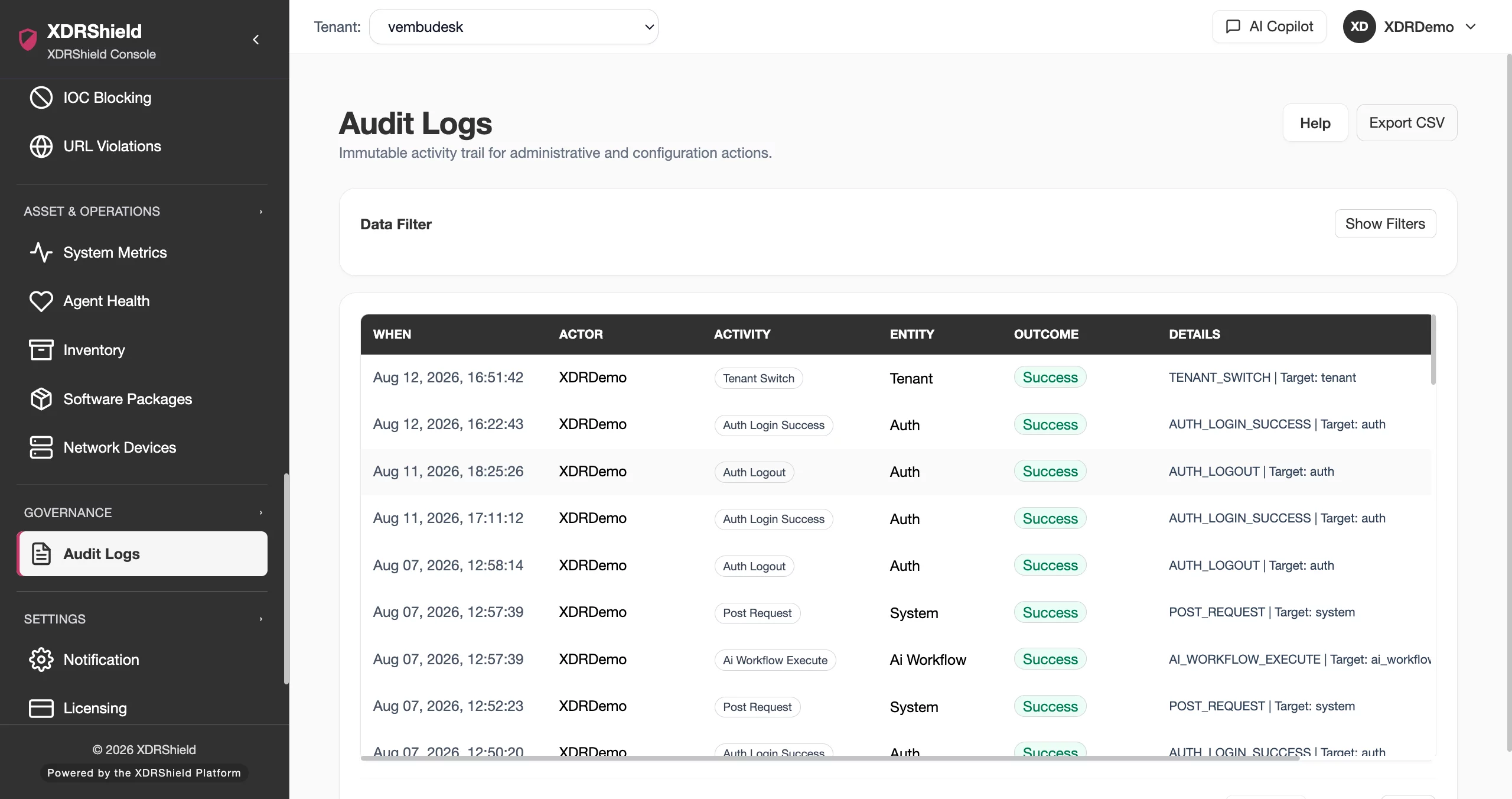
Security operations need an activity record that survives handoff and review.
Configuration changes, user actions, policy edits, response approvals, tenant administration, and operational exports all need accountable records. Activity Logs give teams a searchable trail for governance without relying on screenshots or informal notes.
Review activity by actor, action, scope, outcome, and time.
Activity Logs provide an operational audit trail for administrative and configuration activity. Teams can filter by date range, tenant or domain, actor, action type, and outcome, then inspect details or export the evidence when it needs to travel outside the console workflow.
- Filter by date, domain, actor, action, and outcome before reviewing broad activity history.
- Search for users, actions, or targets during investigations and change reviews.
- Review success and failure outcomes to separate completed changes from attempted or failed operations.
- Export activity records when evidence needs to support customer review, audit response, or incident reporting.
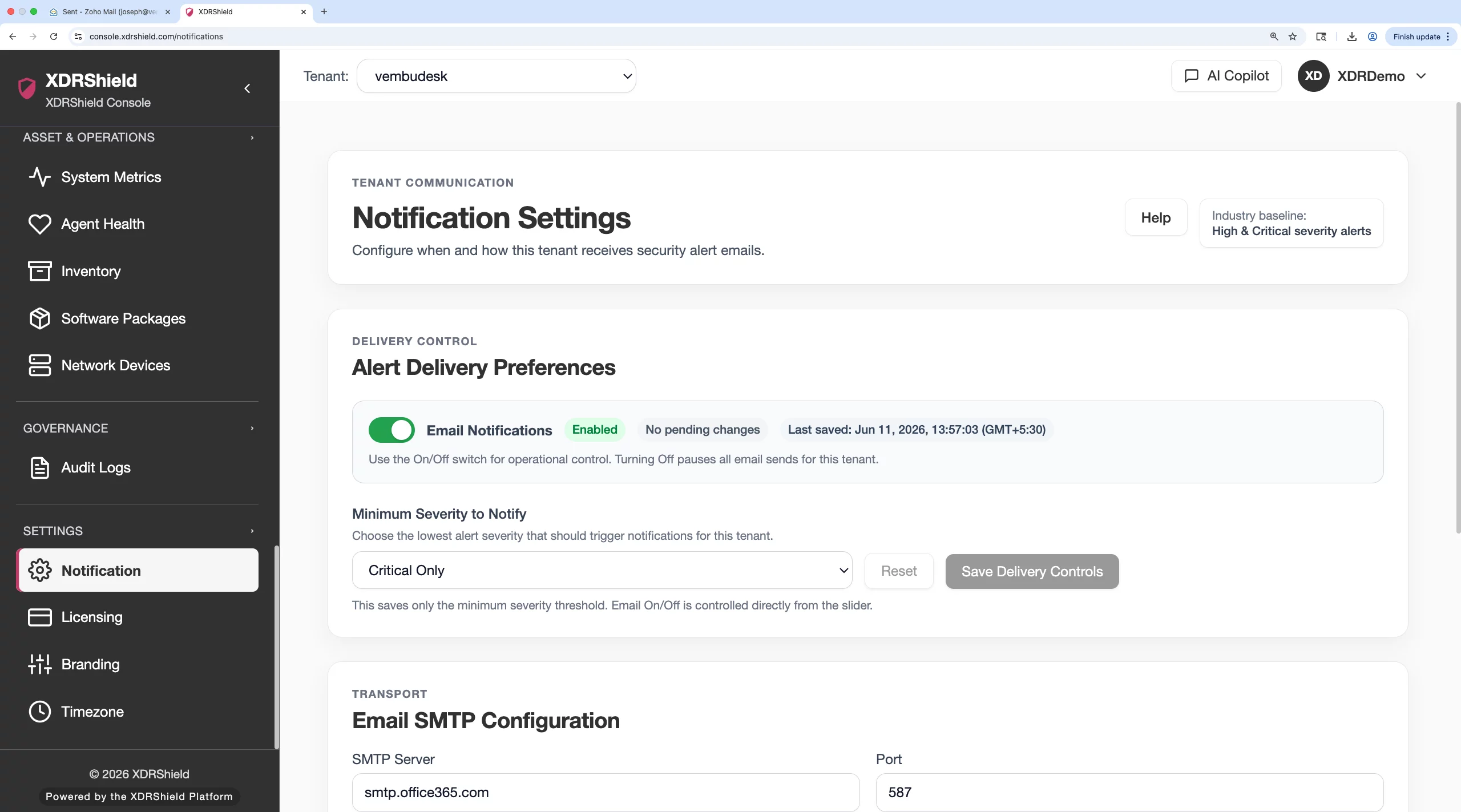
What XDRShield Activity Logs helps teams do.
Each capability supports governance, troubleshooting, and review of administrative and configuration activity.
Administrative activity trail
Track user, tenant, policy, response, and configuration activity with timestamp and outcome context.
Actor and action search
Find activity by actor, action name, target object, or related administrative workflow.
Date-range investigation
Focus review on the exact time window for a change, incident, customer request, or compliance sample.
Success and failure review
Separate completed actions from failed attempts so operators can identify misconfiguration or access issues.
Change verification
Confirm whether policy edits, user actions, response requests, or tenant changes occurred as expected.
Investigation context
Use activity evidence alongside alerts, cases, response actions, and security events during incident review.
Operational controls audit
Review administrative changes that affect policies, users, customers, branding, notifications, and response workflows.
Tenant-scoped governance
Keep customer-specific activity trails separated while supporting central service-provider oversight.
From activity question to audit evidence.
A repeatable activity-log workflow keeps governance review focused and avoids broad manual searching.
Set the scope
Choose the tenant, customer, domain, or workspace related to the review before querying activity history.
Select the date range
Narrow the time window around the change, incident, request, or audit sample.
Search by actor or action
Use actor, target, action, or outcome filters to isolate the relevant record set.
Review details
Inspect result, timestamp, target object, and supporting details to confirm what happened.
Cross-check related pages
Validate policy, alert, response, user, or customer state when an activity record affects another workflow.
Export when needed
Export records for formal audit, customer evidence, incident reporting, or offline review.
Where Activity Logs helps most.
Use activity logs when teams need accountable evidence for administrative activity, change review, and customer-separated governance.
Audit preparation
Pull activity records for internal control checks, customer reviews, and compliance evidence requests.
Incident reconstruction
Review who changed settings, users, policies, or response workflows during an incident window.
Access and permission review
Identify failed attempts or unexpected administrative activity tied to users, roles, or tenant scopes.
Configuration change validation
Confirm policy, branding, customer, and notification changes after planned maintenance.
Response accountability
Review approval, request, execution, and outcome records around governed response actions.
MSP service reporting
Export customer-specific activity evidence without mixing tenants or unrelated administrative events.
Use filters and outcomes together to interpret administrative history.
This table helps operators choose the right filter path before exporting or escalating activity evidence.
| Area | What it means | How teams use it |
|---|---|---|
| Actor | The user, service, or administrative identity associated with the activity. | Use when reviewing accountability, permission use, or suspected unauthorized activity. |
| Action | The type of operation performed, such as policy edit, user change, response request, or customer update. | Use when validating whether a planned or unexpected operation occurred. |
| Outcome | Whether the activity succeeded, failed, or produced an operational result needing review. | Use to separate completed changes from failed attempts or troubleshooting signals. |
| Target and scope | The affected object, tenant, customer, workspace, or configuration area. | Use to keep customer-specific reviews narrow and auditable. |
Activity evidence for governance and operations teams.
The same activity trail supports compliance review, security investigation, customer service reporting, and operational troubleshooting.
For governance and audit teams
Use Activity Logs to collect evidence of administrative changes, outcomes, and actor accountability.
- Filter by date, actor, action, and outcome.
- Export records when evidence must travel.
- Retain tenant-specific context for customer reviews.
For MSP and operations teams
Use tenant-scoped activity history to validate customer changes, troubleshoot failed operations, and preserve service accountability.
- Keep customer activity trails separated.
- Cross-check related policy, user, and response changes.
- Use failed outcomes to guide remediation.
Activity Logs FAQs.
What are Activity Logs in XDRShield?
Activity Logs provide a searchable trail of administrative and configuration activity, including actor, action, target, timestamp, tenant scope, and outcome where available.
How can teams filter activity history?
Teams can use date range, tenant or domain scope, actor, action, target, and outcome filters to narrow activity records for review.
Can activity logs be exported?
Yes. Export is useful when evidence needs to support audit review, customer reporting, incident documentation, or offline analysis.
How do Activity Logs support MSP operations?
Activity records remain tenant-scoped so service-provider teams can review customer-specific changes without mixing unrelated customer activity.
How do Activity Logs help investigations?
Investigators can use activity records to confirm whether policy, user, response, or configuration changes happened during an incident window and correlate that with alerts, events, cases, and response history.
Review who changed what and preserve the evidence.
Use XDRShield Activity Logs to trace administrative actions, validate operational changes, and export tenant-aware evidence for governance and investigation.












