
Endpoint security operations for lean IT and security teams.
XDRShield helps IT and security teams keep endpoint visibility, alert triage, policy control, vulnerability context, investigation, and response work connected in one practical operating model — without forcing teams to build a full enterprise SOC before they can reduce risk.
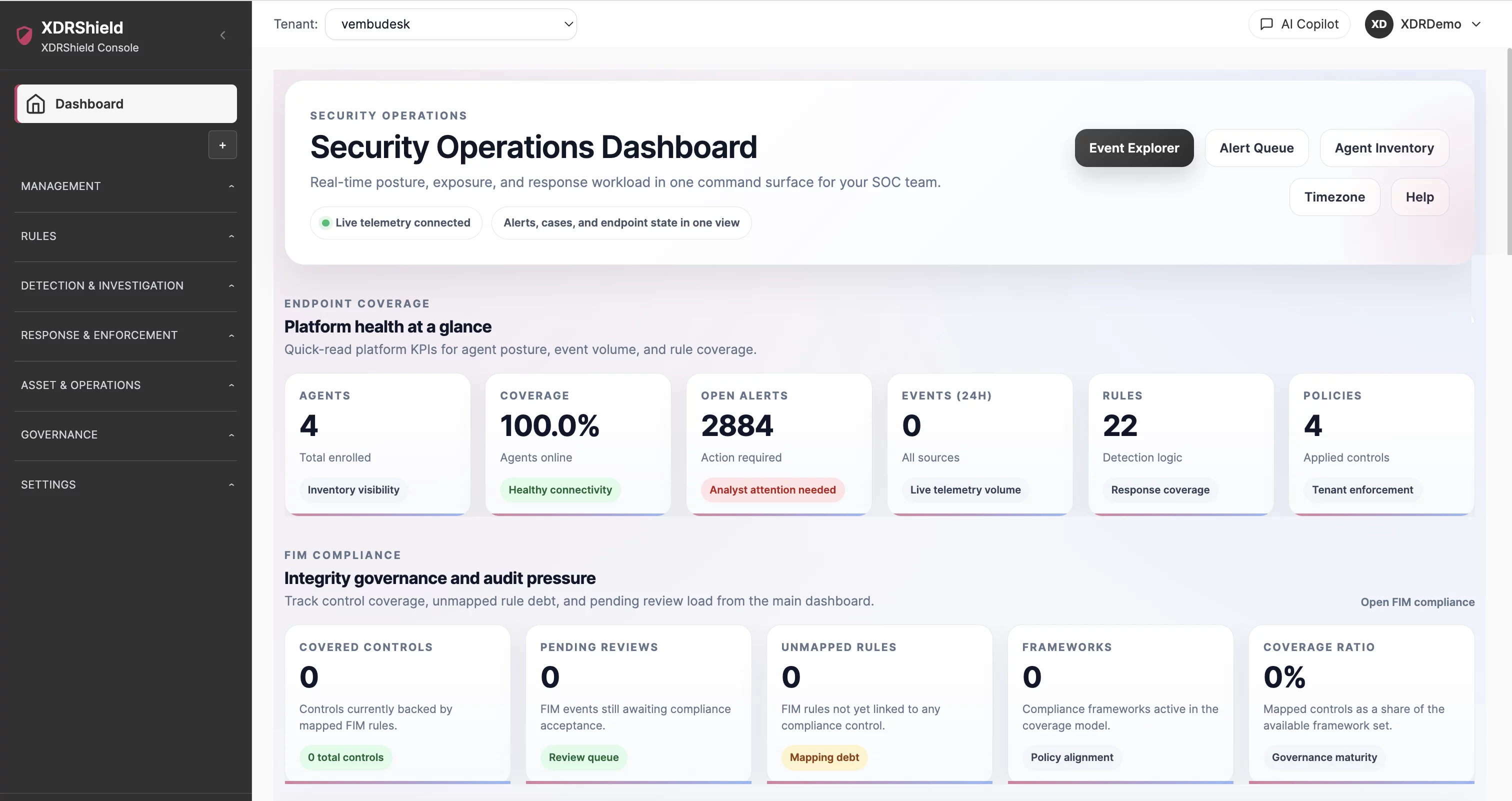
Security teams need clear endpoint evidence and a workflow they can actually run.
Many IT and security teams are responsible for endpoint protection, detection, patch risk, compliance questions, and executive reporting with limited time and staff. XDRShield helps turn scattered endpoint signals into a practical daily workflow: know what is healthy, understand what changed, prioritize what matters, investigate suspicious activity, and document the action taken.
A practical operating model for internal security operations.
For IT and security teams, XDRShield should reduce the gap between endpoint monitoring and real operational action. The platform brings together agent health, detection rules, alert review, threat hunting, case investigation, response governance, vulnerability context, and reporting evidence so teams can prioritize work without losing technical detail.
- Dashboard, agent, and operations health views show whether endpoint evidence is ready to trust.
- Security alerts, events, threat hunting, and cases give analysts a connected path from signal to investigation.
- Policies and rules help teams standardize monitoring, detection, web control, IOC blocking, FIM, process, AV, and metrics coverage.
- Audit logs, user management, timezone, notification, and reporting settings keep security operations accountable and reviewable.
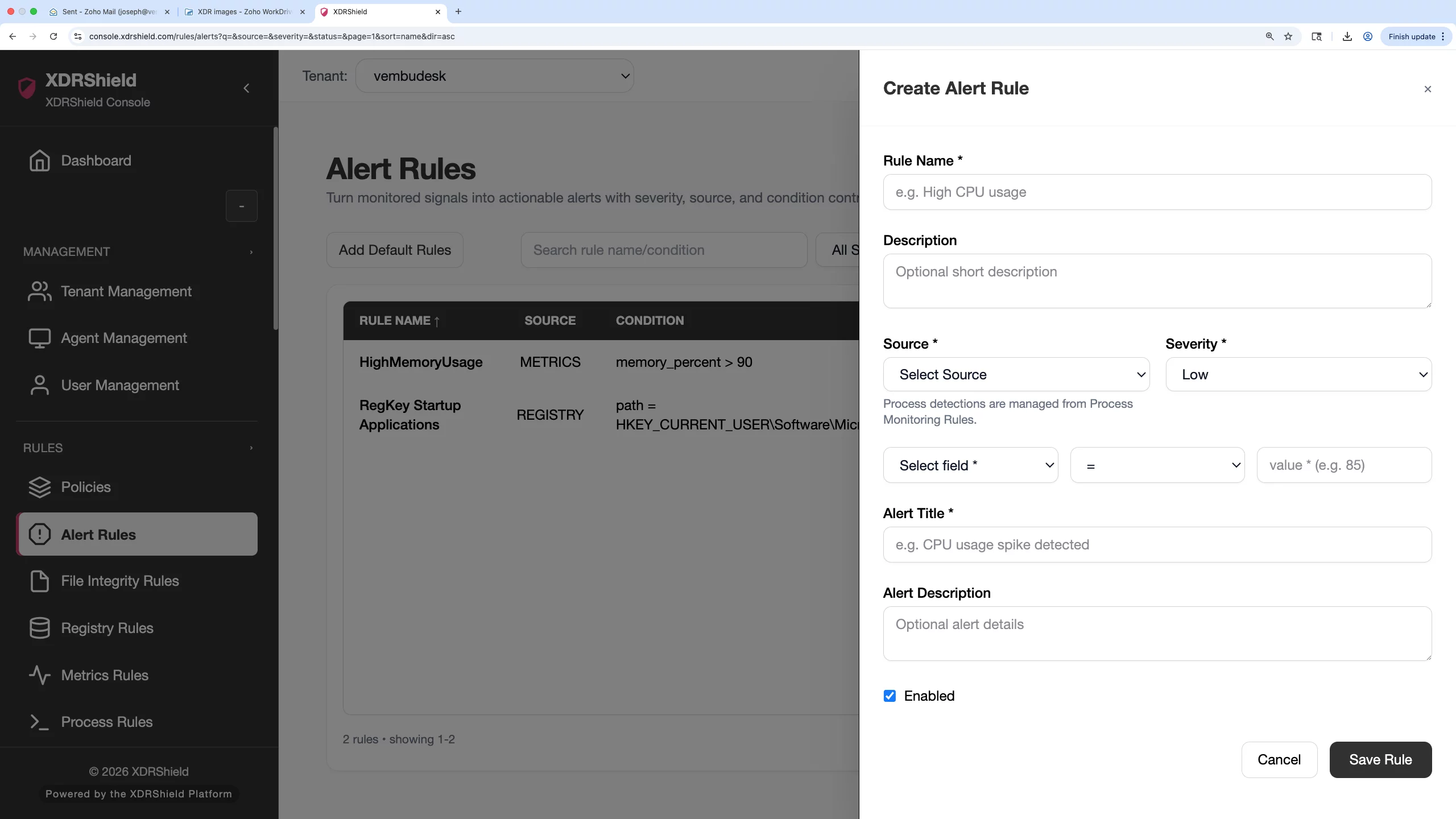
What XDRShield helps IT and security teams operationalize.
The solution combines completed XDRShield feature areas into a daily operating model for endpoint security, investigation, response, and governance.
Endpoint visibility and health
Track agent health, operations health, inventory, installed packages, and endpoint readiness before relying on security evidence.
Alert triage and event review
Prioritize alerts, inspect events, and use severity, endpoint context, and related evidence to decide what needs action.
Threat hunting and case investigation
Search suspicious activity, scope affected endpoints, preserve findings in cases, and build a reviewable investigation record.
Governed endpoint response
Use approved response actions with clear ownership, authorization, and audit context when containment is needed.
Policy and rule control
Manage policies and rules for alerts, IOC blocking, file integrity, process monitoring, system metrics, AV posture, and URL filtering.
Vulnerability and software context
Use vulnerabilities, installed packages, and software deployment evidence to prioritize risk reduction and validate remediation.
Operational readiness and notification routing
Use timezone, notifications, dashboards, and health views to keep security work timely and accountable.
Audit-ready evidence
Use audit logs, cases, reports, and activity history to support compliance, leadership, and post-incident review.
From endpoint signal to governed action.
A repeatable workflow helps IT and security teams keep daily operations focused and defensible.
Validate endpoint readiness
Check agent health, operations health, inventory freshness, and dashboard signals before assuming coverage.
Triage alerts and events
Review high-priority alerts, related security events, endpoint context, and rule source.
Investigate suspicious activity
Use threat hunting, process evidence, file changes, IOC matches, and case records to understand scope.
Prioritize remediation or response
Decide whether the issue needs policy tuning, patching, deployment, containment, or escalation.
Act with governance
Use approved policies, user access, notification routing, response actions, and audit context.
Report and improve
Use cases, audit logs, vulnerabilities, dashboards, and lessons learned to improve security operations.
Where IT and security teams use XDRShield most.
These operational scenarios benefit from having endpoint visibility, policy control, investigation, and evidence in one workflow.
Daily alert triage
Review endpoint security alerts and decide which signals require investigation.
Incident scoping
Search across endpoint evidence to understand affected systems, users, processes, files, and timelines.
Ransomware readiness
Validate detection, file-change visibility, response workflow, and evidence paths before an incident.
Compliance and audit support
Collect audit logs, cases, policy evidence, vulnerability context, and endpoint health records for review.
Security policy rollout
Standardize rules and policies across endpoint groups while preserving change evidence.
Endpoint risk reduction
Use health, vulnerabilities, software inventory, and deployment context to reduce operational blind spots.
Map common team responsibilities to the XDRShield workflows that support them.
This table helps internal teams decide where to start when a security or operations question comes in.
| Area | What it means | How teams use it |
|---|---|---|
| Are endpoints covered and healthy? | Dashboard, Agent Health, Operations Health, Installed Packages | Use to validate reporting state, inventory freshness, and operational readiness. |
| Is this alert worth investigating? | Security Alerts, Security Events, Threat Hunting, Cases | Use to review severity, supporting evidence, timeline, and affected scope. |
| What should we change or enforce? | Policy Management, Rule pages, URL Filtering, IOC Blocking, Governed Response | Use to tune detection, apply controls, or take approved response action. |
| How do we prove what happened? | Audit Logs, Cases, Vulnerabilities, Reports, User Management | Use to document decisions, ownership, access, remediation, and review evidence. |
Solution fit and related workflows for IT/security teams.
Use these paths when moving from operational monitoring into investigation, response, and governance.
For security analysts
Use this path when alerts, events, hunts, and response evidence need a clear investigation trail.
- Start with alert and event context.
- Move important findings into cases.
- Use governed response only with approved ownership.
For IT operations owners
Use this path when endpoint coverage, health, inventory, vulnerability, and policy rollout need validation.
- Check agent and operations health first.
- Use packages and vulnerabilities for remediation scope.
- Validate policy and deployment outcomes.
IT and security operations FAQs.
What is XDRShield for IT and security teams?
It is the operating model for using XDRShield to monitor endpoints, triage alerts, investigate suspicious activity, manage policies, support response, and preserve evidence for review.
How does XDRShield help lean teams?
It connects endpoint health, alerts, events, cases, policies, vulnerabilities, and audit evidence so teams can prioritize work without jumping between disconnected workflows.
Where should a team start each day?
Start with dashboard and operations health, then review high-priority alerts, endpoint health exceptions, vulnerability priorities, and open cases.
How does XDRShield support investigation?
Teams can use alerts, events, threat hunting, process and file evidence, IOC matches, cases, and response records to understand scope and preserve a timeline.
How does this help with compliance or leadership reporting?
Audit logs, cases, dashboards, vulnerability evidence, policy records, and user activity help teams explain what happened, what changed, and what was done.
Does this replace individual feature pages?
No. This solution page explains the IT/security operating model and links to the detailed feature pages used to run each workflow.
Give IT and security teams a practical path from endpoint visibility to alert triage, investigation, response, and review-ready evidence.
Use XDRShield to reduce blind spots, prioritize endpoint risk, and make security operations easier to explain.












