
Control administrator and analyst access with role-aware, tenant-safe user governance.
XDRShield User Management helps teams manage users, roles, access scope, invitation lifecycle, and accountable activity so security operations are performed by the right people inside the right tenant boundaries.
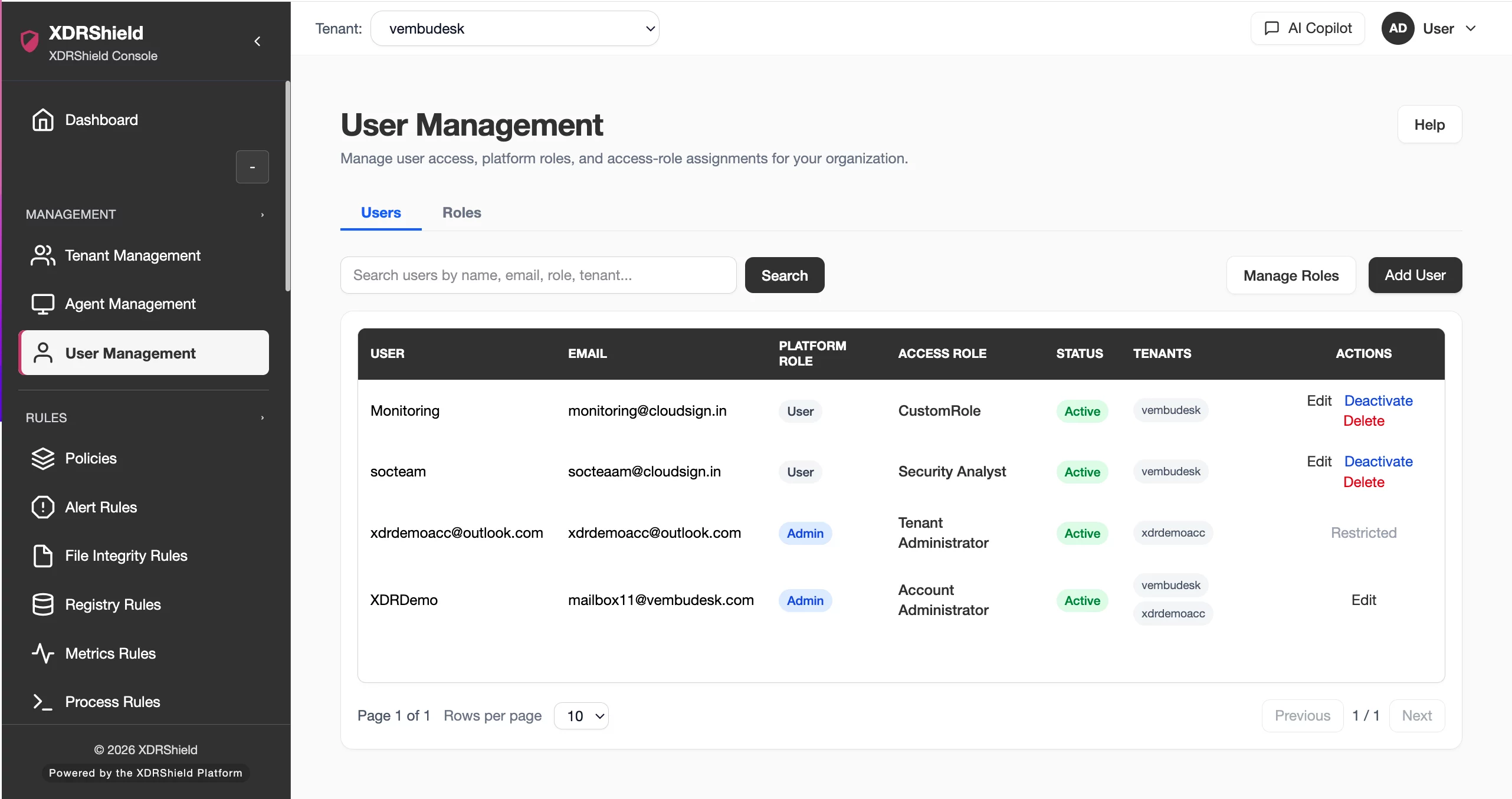
User access is a security control, not just an administration task.
Security consoles contain endpoint evidence, response actions, policies, customer records, and audit data. User Management helps organizations govern who can access each workflow, what they can do, and which tenant or customer scope they operate within.
Manage user lifecycle and permissions as part of operational governance.
User Management connects invitations, active users, roles, permissions, tenant access, and audit visibility. Teams should use it before granting access to alerts, policies, cases, response workflows, or customer data.
- Create, invite, review, or deactivate users according to operational need.
- Map roles and permissions to the workflows each user should perform.
- Validate tenant/customer access before users review evidence or take action.
- Use activity logs to review access-sensitive administrative changes.
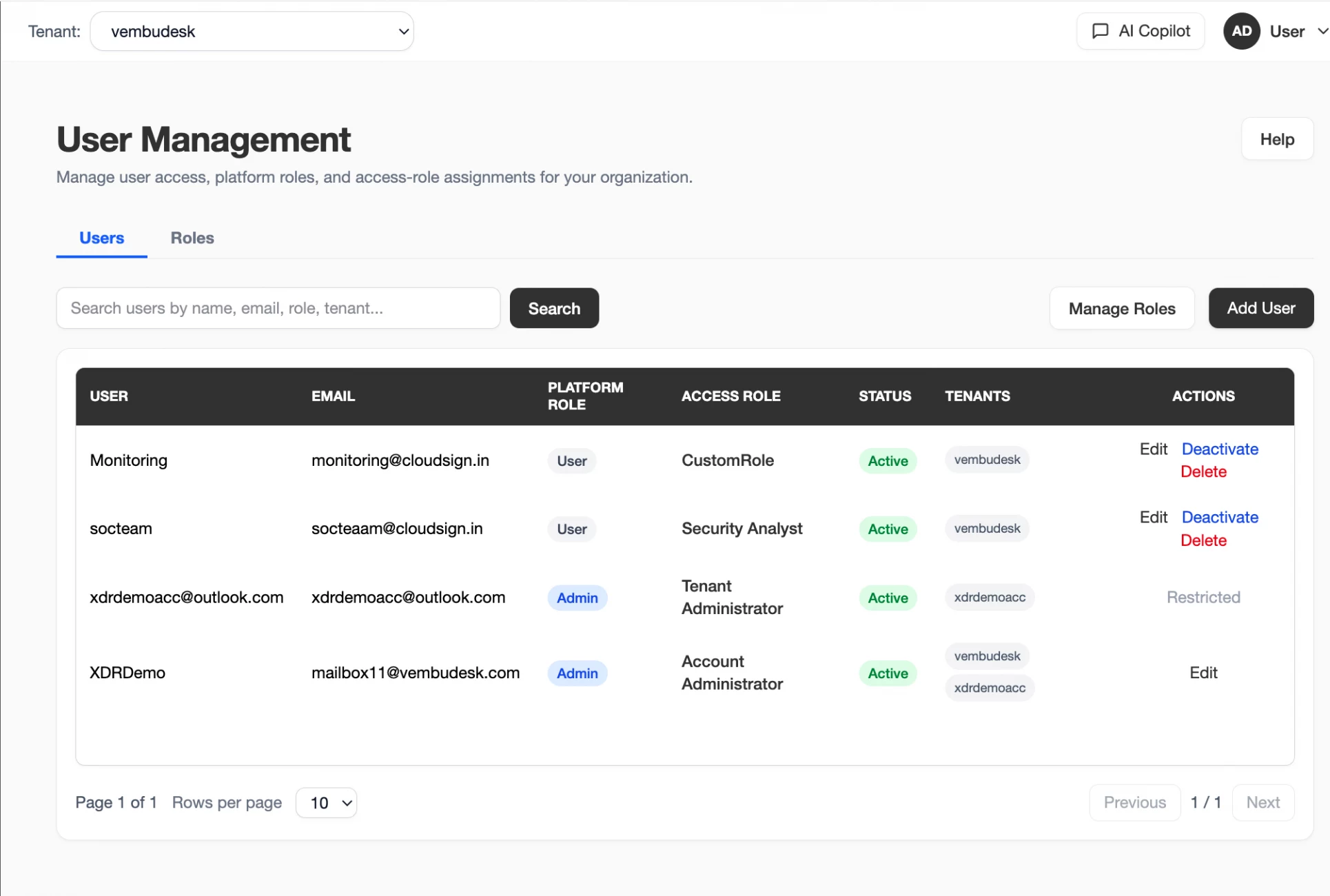
What XDRShield User Management helps teams do.
Each capability supports the operating workflow for user management, from configuration and validation to governance, response, and follow-up.
Role-based access control
Assign roles that match user responsibilities and operational risk.
Tenant access boundaries
Keep users aligned to the customer or workspace scope they are allowed to operate.
User lifecycle review
Manage invitations, active users, disabled users, and administrative changes.
Permission alignment
Match access to alerts, policies, cases, response, reporting, and customer workflows.
Access review support
Find users, roles, and tenant assignments during governance checks.
Sensitive action control
Limit response actions, policy changes, and exports to appropriate roles.
Audit timing
Review when users were invited, changed, disabled, or assigned access.
Operational handoff
Align user access with customer management, cases, and service workflows.
From user request to governed access.
A repeatable workflow helps prevent over-permissioned accounts and unclear ownership.
Confirm access need
Identify the role, tenant, and workflows the user genuinely needs.
Select role and scope
Assign permissions and tenant access based on least-privilege requirements.
Invite or update user
Create the user or adjust access using the approved administrative path.
Validate effective access
Confirm the user can see only intended tenants and workflows.
Review activity logs
Check evidence for access changes and sensitive administrative actions.
Reassess periodically
Remove stale users and adjust roles as responsibilities change.
Where User Management helps most.
Use User Management when access, accountability, and tenant separation affect security operations.
Least-privilege administration
Grant only the access needed for each role.
MSP delegated access
Manage users across customer environments without cross-tenant mistakes.
Response-action control
Restrict sensitive workflows to authorized users.
Audit preparation
Review who had access and who changed permissions.
User lifecycle cleanup
Find stale or unnecessary accounts for removal.
Operational onboarding
Set up analysts and administrators before customer handoff.
Separate identity, role, and tenant scope.
This table helps administrators review user access clearly.
| Area | What it means | How teams use it |
|---|---|---|
| User identity | The person or account accessing XDRShield. | Use for lifecycle, invitation, and accountability review. |
| Role or permission set | What the user is allowed to do. | Use to enforce least privilege by workflow. |
| Tenant scope | Where the user can operate. | Use to prevent cross-customer access mistakes. |
| Activity evidence | Records of user and administrative actions. | Use for audit, investigation, and governance review. |
User Management for security, IT, and MSP teams.
User Management supports day-to-day operations while keeping tenant scope, evidence, and accountable change control clear.
For security and IT teams
Use this feature to keep administrative control, endpoint policy behavior, and operational evidence aligned with the intended environment.
- Validate tenant and user scope before changes.
- Review related logs, alerts, and settings before broad action.
- Use cases, audits, and operations health for follow-up evidence.
For MSP and service-provider teams
Use tenant-aware administration so customer environments stay separated while configuration patterns remain repeatable.
- Confirm customer or tenant scope before bulk changes.
- Standardize controls without mixing customer data.
- Preserve evidence for customer-facing service reviews.
User Management FAQs.
What is User Management in XDRShield?
User Management helps administrators manage users, invitations, roles, permissions, tenant access, and user lifecycle governance.
Why does role-based access matter?
Security operations can include sensitive evidence, policy changes, exports, and response actions. Roles help limit access to appropriate responsibilities.
How should MSPs manage user access?
MSPs should align users with the customer or tenant scope they support and avoid broad cross-customer access unless explicitly required.
How can user changes be audited?
Activity Logs can help review when users were invited, changed, disabled, or assigned access where records are available.
What should be reviewed periodically?
Review stale accounts, tenant assignments, role fit, sensitive permissions, and user activity evidence.
Keep user permissions aligned with tenant-safe security operations.
Use XDRShield User Management to control who can review evidence, change settings, manage policies, and operate customer environments.












