
Request, approve, track, and audit containment and remediation actions with governed response.
XDRShield Response Actions lets security operators request, approve, track, and audit containment and remediation steps including host isolation, process termination, and network or domain blocking. Each action follows an approval-gated workflow with full execution history and audit traceability.
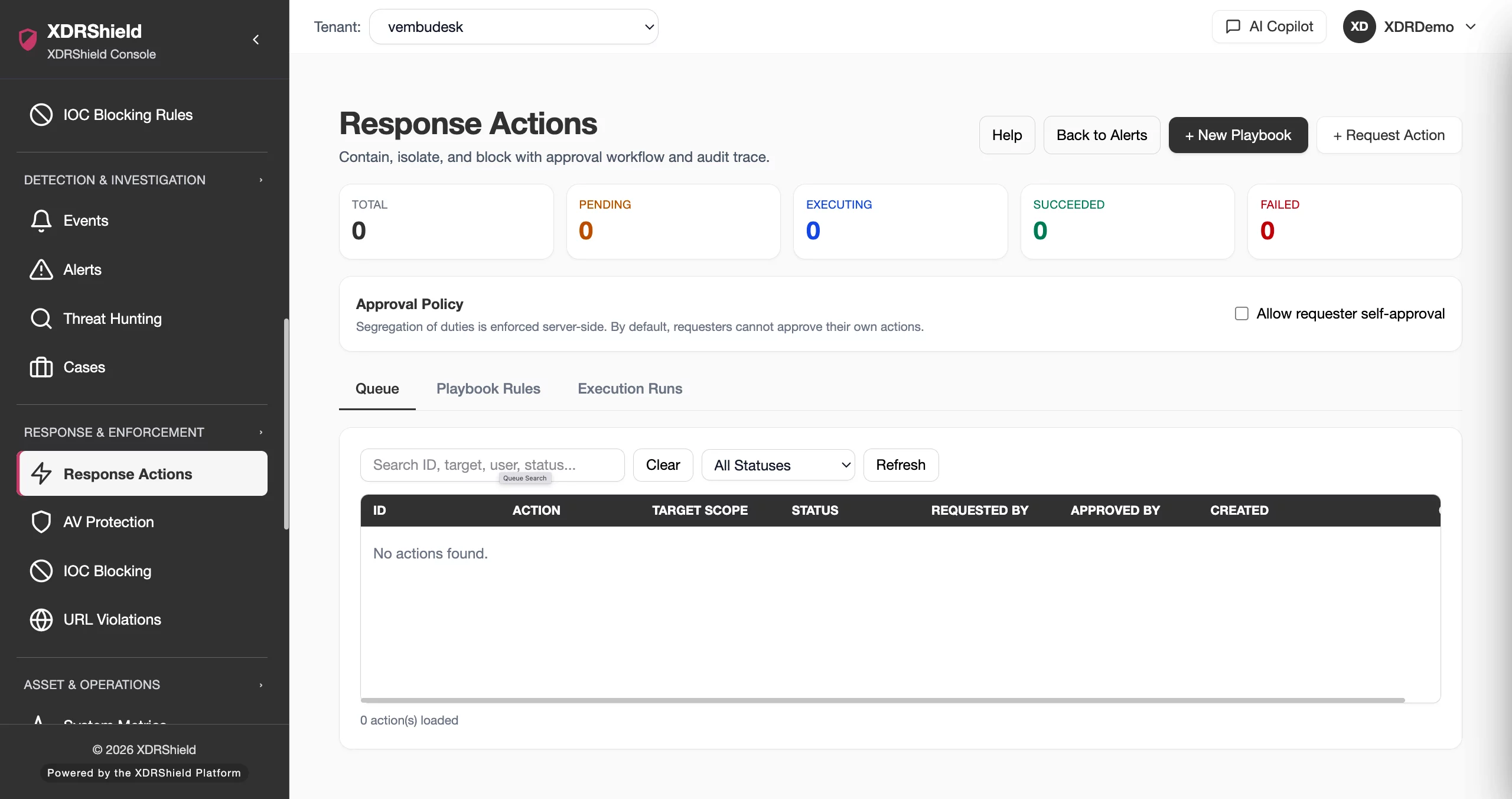
Controlled containment is the difference between stopping a threat and creating a new operational incident.
Response actions give security teams a governed way to isolate endpoints, kill malicious processes, and block attacker infrastructure without losing oversight, reversibility, or audit evidence.
From request to release, every response action follows a governed lifecycle.
Response actions move through a structured lifecycle: an operator requests an action, designated approvers review and authorize it, the endpoint agent executes it, the team verifies the outcome, and the action is either released or escalated. Each stage is recorded for audit and compliance.
- Request an action including host isolate, process kill, or network/domain block from the response actions queue.
- Approvers review pending requests, confirm the target endpoint, and authorize or reject the action before execution.
- The endpoint agent executes the approved action and reports the result back to XDRShield.
- Verify action status, review execution logs, validate endpoint behavior, and confirm management channel connectivity.
- Release isolated hosts to restore normal network operation or escalate to further investigation and response.
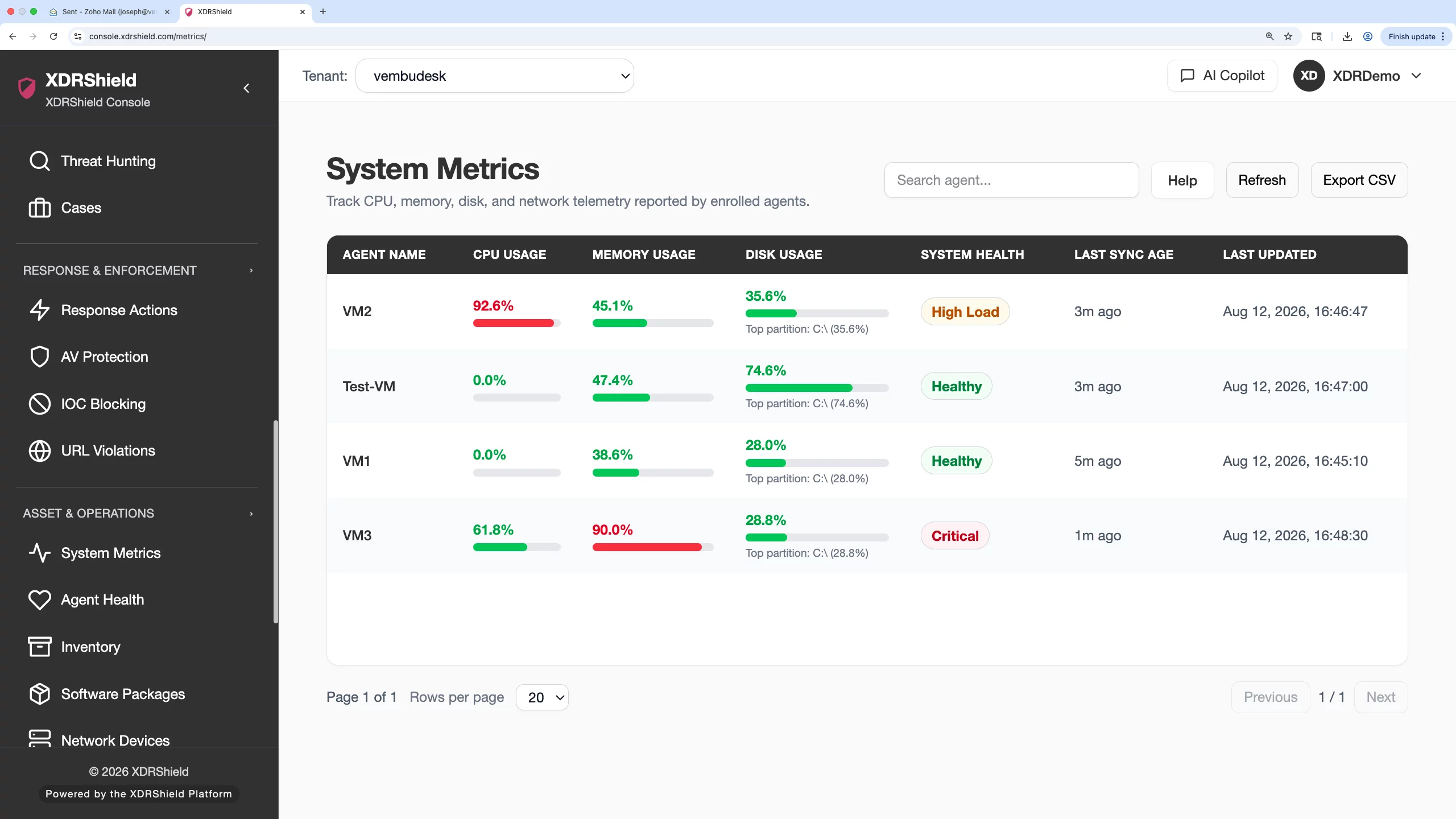
What XDRShield Response Actions helps teams do.
Each capability supports a part of the response action workflow, from containment and remediation to approval governance, execution tracking, and audit traceability.
Host Isolate containment

Place a selected endpoint into a restricted network state to stop ongoing attacker activity, reduce lateral movement risk, and give the security team time to investigate safely.
Process kill
Terminate malicious or suspicious processes on monitored endpoints with agent-enforced execution and outcome reporting.
Network and domain blocking
Block known malicious IPs, CIDR ranges, domains, and URLs from reaching endpoints using policy-controlled network enforcement.
Approval workflow gates
Route response actions through an approval queue where designated approvers review and authorize requested actions before execution to prevent accidental or unsafe containment.
Action queue and pending review
Review pending response action requests with target endpoint, action type, requester, and approval status before authorizing execution.
Execution outcome tracking
Monitor execution results for every response action with terminal status, agent reporting, and outcome confirmation.
Release and restore
Release isolated hosts by removing containment rules and restoring saved network state so the endpoint can resume expected communication.
Audit history and traceability
Preserve requester, approver, target, action type, execution result, and timestamp for every response action to support compliance and post-incident review.
Choose the right response action for the operational situation.
Different threat scenarios call for different response actions. Understanding the purpose, operational impact, and reversibility of each action type helps teams choose the right containment or remediation step.
From queue review to outcome verification and release.
A strong response action workflow keeps approval review, target confirmation, execution monitoring, and outcome verification connected so containment is controlled, reversible, and auditable.
Review queue
Open Response Actions and review pending requests, pending approvals, and queued actions for the relevant tenant or workspace.
Confirm target
Verify the target endpoint, action type, and approval policy before requesting or approving a containment action.
Request action
Submit the response action request including host isolate, process kill, or network block with documented justification.
Monitor execution
Track the action through approval, agent execution, and terminal status. Watch for failed actions that need follow-up.
Verify outcome
Confirm action status, review execution logs, validate endpoint behavior, and check management channel connectivity.
Release or escalate
Release isolated hosts to restore normal operation or escalate to further investigation, hunting, and case management.
Where governed response actions help most.
Use response actions where immediate containment, remediation, or blocking is needed to stop threats and protect endpoints.
Active ransomware containment
Isolate endpoints showing ransomware behavior to stop encryption activity, prevent lateral movement, and give the team time to investigate and eradicate.
Suspicious remote access isolation
Contain endpoints with suspicious remote sessions or unauthorized access patterns to prevent further compromise while investigation proceeds.
Malware process termination
Kill malicious processes detected through alerts, IOC matches, or behavioral detection to stop active threats on monitored endpoints.
Command-and-control blocking
Block known C2 IPs, domains, and URLs to sever attacker communication channels and prevent data exfiltration or further instruction retrieval.
Post-investigation remediation
After threat hunting or case investigation identifies confirmed threats, take governed response actions to contain, block, or remediate affected endpoints.
MSP-controlled customer response
MSP teams can manage response actions across customer tenants with tenant-scoped approval workflows, action queues, and audit trails kept separate by customer.
Response actions for security, infrastructure, and MSP teams.
The same governed response workflow supports different operational decisions. XDRShield keeps action context, execution history, and audit records usable without losing tenant scope or operational responsibility.
For SOC and investigation teams
Use response actions to contain active threats, kill malicious processes, block attacker infrastructure, and connect containment to alerts, cases, and investigation workflows.
- Isolate endpoints during active incident response.
- Kill processes and block infrastructure linked to confirmed threats.
- Connect response actions to alerts, events, and case timelines.
For MSP and IT operations teams
Manage response actions across customer tenants with tenant-scoped approval workflows, action queues, and audit trails kept separate by customer, tenant, and workspace scope.
- Apply consistent response action policies across customers.
- Keep tenant-specific action queues and audit history separate.
- Use approval workflows to prevent unsafe or accidental containment.
Response Actions FAQs.
What are Response Actions in XDRShield?
Response Actions let security operators request, approve, track, and audit containment and remediation steps including host isolation, process termination, and network or domain blocking. Each action follows an approval-gated workflow with full execution history.
How does the approval workflow for response actions work?
Response actions go through a queue where designated approvers review and authorize requested actions before execution. This prevents accidental or unsafe containment and ensures every action has documented approval before it runs.
What does Host Isolate do?
Host Isolate places a selected endpoint into a restricted network state to stop ongoing attacker activity, reduce lateral movement risk, and give the security team time to investigate safely. The endpoint can be returned to normal operation using the release action.
How do you release or unisolate a contained host?
Use the Release action from Response Actions for the isolated endpoint. The agent removes the isolation rules added during containment and restores the saved network state. Confirm the release completed successfully by checking action status and verifying endpoint connectivity.
Does XDRShield keep an audit trail of all response actions?
Yes. Every response action records the requester, approver, target endpoint, action type, execution result, and timestamp. This audit history supports compliance, post-incident review, and operational governance.
Request, approve, track, and audit containment and remediation actions.
Use XDRShield Response Actions to isolate endpoints, kill malicious processes, block attacker infrastructure, and maintain full audit traceability with reversible, approval-gated response.












