
Monitor XDRShield operational readiness, service health, and evidence freshness from one place.
XDRShield Operations Health helps teams review platform and collection health signals, identify degraded workflows, validate telemetry freshness, and understand whether agents, jobs, integrations, and operational services are ready to support detection and response.
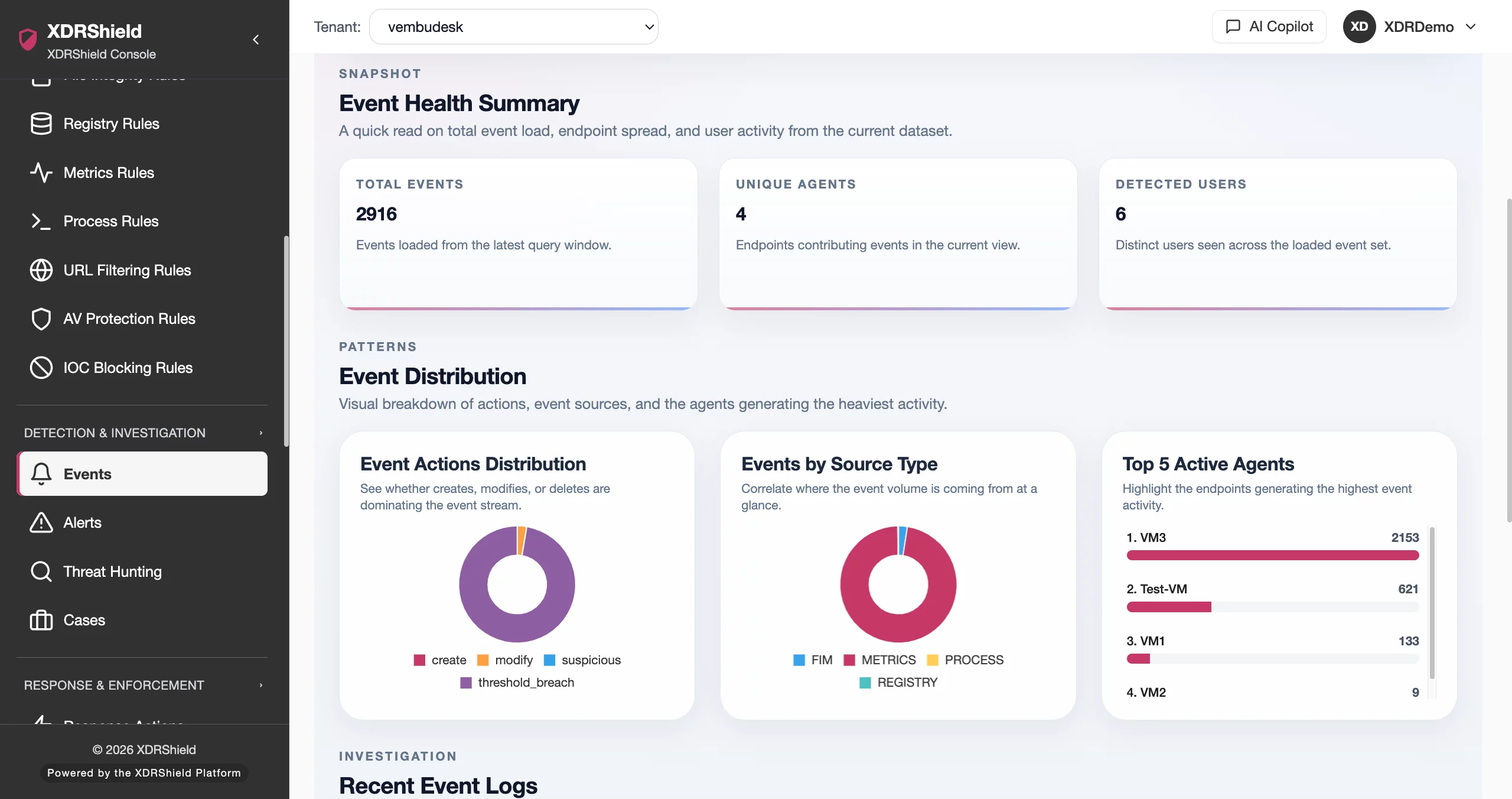
Operational health tells teams whether security workflows can be trusted right now.
Alerts, hunts, response actions, inventory, reports, and customer reviews all depend on healthy background operations. Operations Health highlights the service and evidence signals that need review before stale or failed workflows affect decisions.
Review readiness signals before relying on downstream workflows.
Operations Health summarizes the operational state behind the platform: collection status, processing readiness, telemetry freshness, job outcomes, service signals, and workflow dependencies. Teams use it to decide whether to investigate an operational issue, retry a workflow, or drill into the detailed feature page that owns the evidence.
- Review service, job, collection, and processing health before interpreting missing evidence.
- Use freshness and last-run context to separate true inactivity from stale data.
- Drill into agents, events, alerts, policies, and audit logs when a health signal points to a specific workflow.
- Use tenant scope when reviewing customer-impacting operational health.
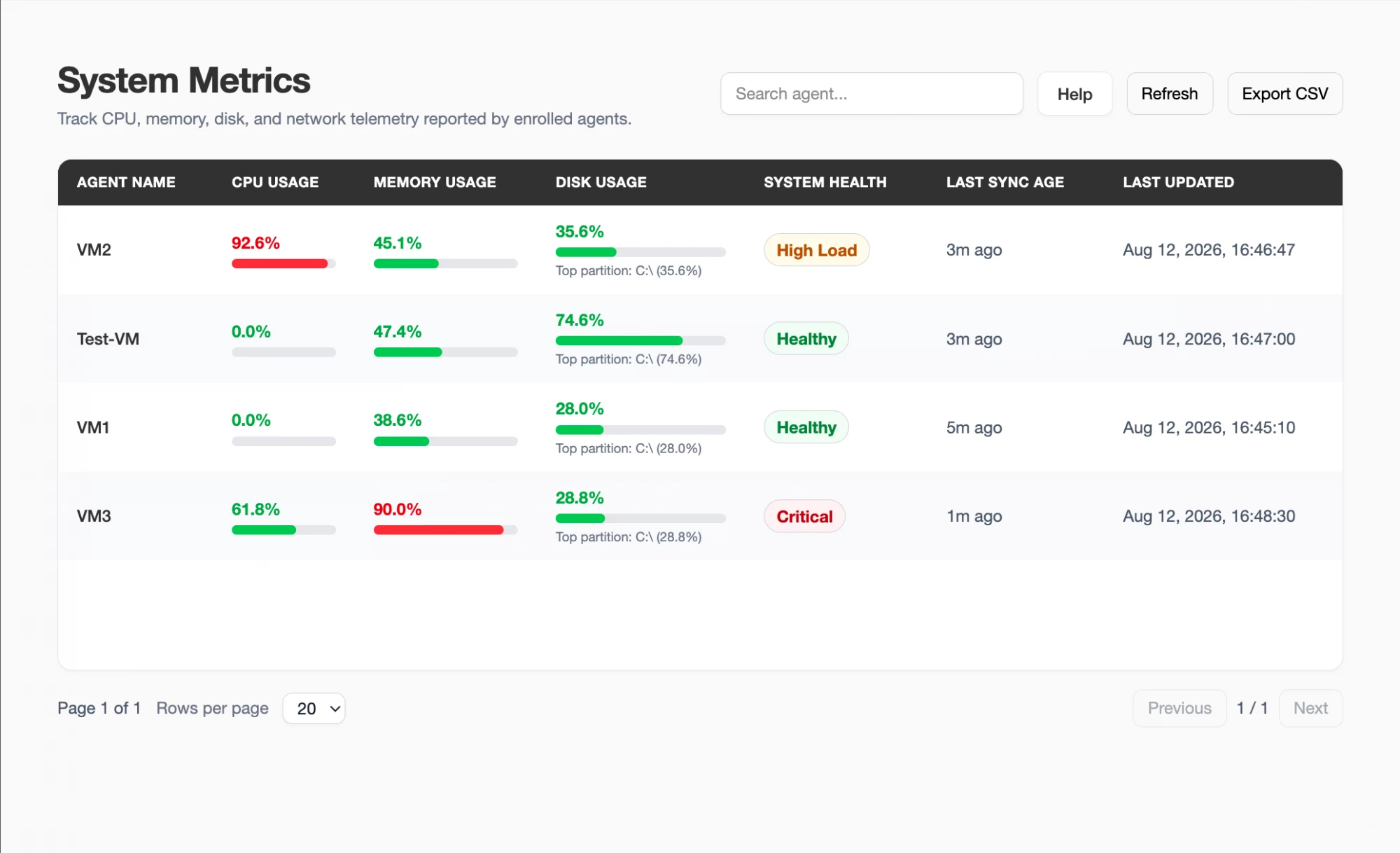
What XDRShield Operations Health helps teams do.
Each capability supports the operating workflow for operations health, from configuration and validation to investigation, governance, and follow-up.
Health signal overview
Review operational readiness indicators for collection, processing, jobs, and workflow dependencies.
Freshness and last-run review
Check when key workflows last reported or completed before trusting current posture.
Degraded workflow triage
Identify failed, stale, delayed, or warning-state operations that may affect security visibility.
Diagnostic drill-down
Move from a health signal into the affected agent, event, policy, customer, or audit workflow.
Evidence-readiness check
Confirm whether dashboard, alert, case, and event data is fresh enough for decision-making.
Policy and sync dependency review
Use operational health to troubleshoot policy sync or background workflow issues.
Review history and exports
Use operational status context for service review, customer reporting, and audit follow-up.
Tenant-scoped service health
Review health signals in the intended customer or tenant scope for MSP operations.
From health signal to operational correction.
A clear workflow keeps health review practical and prevents teams from overreacting to short-lived delays.
Select scope
Choose the relevant tenant, customer, or workspace before interpreting health status.
Review status signals
Check warnings, stale data, failed jobs, last-run time, and operational dependencies.
Identify owner workflow
Determine whether the issue belongs to agents, events, alerts, policies, integrations, or background processing.
Validate detailed evidence
Open the owning workflow to review specific records, timestamps, and affected systems.
Remediate or retry
Restart, refresh, reassign, or escalate the operational issue according to the affected workflow.
Confirm recovery
Return to Operations Health and validate that status, freshness, and last-run signals recovered.
Where Operations Health helps most.
Use Operations Health when missing or delayed data could affect security decisions, customer service, or operational readiness.
Daily readiness review
Check whether core operations are healthy before beginning alert, case, or customer review.
Freshness validation
Confirm last-run and freshness context before assuming an endpoint, alert, or event queue is empty.
Degraded service follow-up
Prioritize warning or failed workflow signals that may affect detection or response.
Policy rollout troubleshooting
Use sync and operational status context when policies do not appear to reach endpoints.
Customer review preparation
Collect health context before reporting service state to a customer or stakeholder.
MSP service assurance
Review tenant-aware operational health across customer environments without mixing scope.
Interpret status signals by operational risk.
This table helps teams decide when to observe, investigate, or remediate an operational health signal.
| Area | What it means | How teams use it |
|---|---|---|
| Healthy | The workflow or service has reported recently and no warning state is present. | Continue normal monitoring and validate detailed evidence only when needed. |
| Warning or delayed | The workflow is reporting but freshness, last-run time, or outcome needs attention. | Review related workflow details and watch for repeated or customer-impacting delay. |
| Failed or stale | The workflow has not completed, reported, or refreshed within expected operating context. | Prioritize investigation because downstream evidence may be incomplete. |
| Unknown or no evidence | The platform lacks enough recent signal to confirm state. | Validate scope, configuration, agent status, and background workflow status. |
Operations Health for security, IT, and MSP teams.
Operations Health supports day-to-day operations while keeping tenant scope, evidence, and accountable change control clear.
For security and IT teams
Use this feature to keep endpoint protection, detection evidence, and operational decisions aligned with the current environment.
- Validate configuration before broad rollout.
- Review evidence before changing rules or policies.
- Use related alerts, events, cases, and activity logs for context.
For MSP and service-provider teams
Use tenant-scoped operation so customer environments stay separated while common workflows remain repeatable.
- Confirm customer or tenant scope before bulk changes.
- Standardize configuration patterns across customers.
- Preserve customer-specific audit and review evidence.
Operations Health FAQs.
What is Operations Health in XDRShield?
Operations Health summarizes readiness signals for platform workflows, collection, processing, job outcomes, data freshness, and operational dependencies.
Why does operational health matter for security teams?
Security decisions depend on fresh and complete evidence. Health signals help teams avoid interpreting stale or failed data as normal activity.
What should teams check when data appears missing?
Teams should verify selected scope, agent health, last-run time, workflow status, policy sync, and related events before concluding there is no activity.
How does Operations Health support MSPs?
MSP teams can review health in tenant or customer scope, identify customer-impacting issues, and preserve operational context for service reviews.
Does Operations Health replace detailed workflow pages?
No. It provides readiness signals and direction. Detailed validation still happens in agents, alerts, events, policies, cases, and activity logs.
Monitor service health before stale data becomes a blind spot.
Use XDRShield Operations Health to validate platform readiness, identify degraded workflows, and protect evidence freshness.












