
Configure tenant-aware brand presentation for customer-facing security operations.
XDRShield Branding Settings help service-provider and administrative teams manage supported branding details such as organization identity, logo presentation, and customer-facing console experience while preserving operational governance and tenant separation.
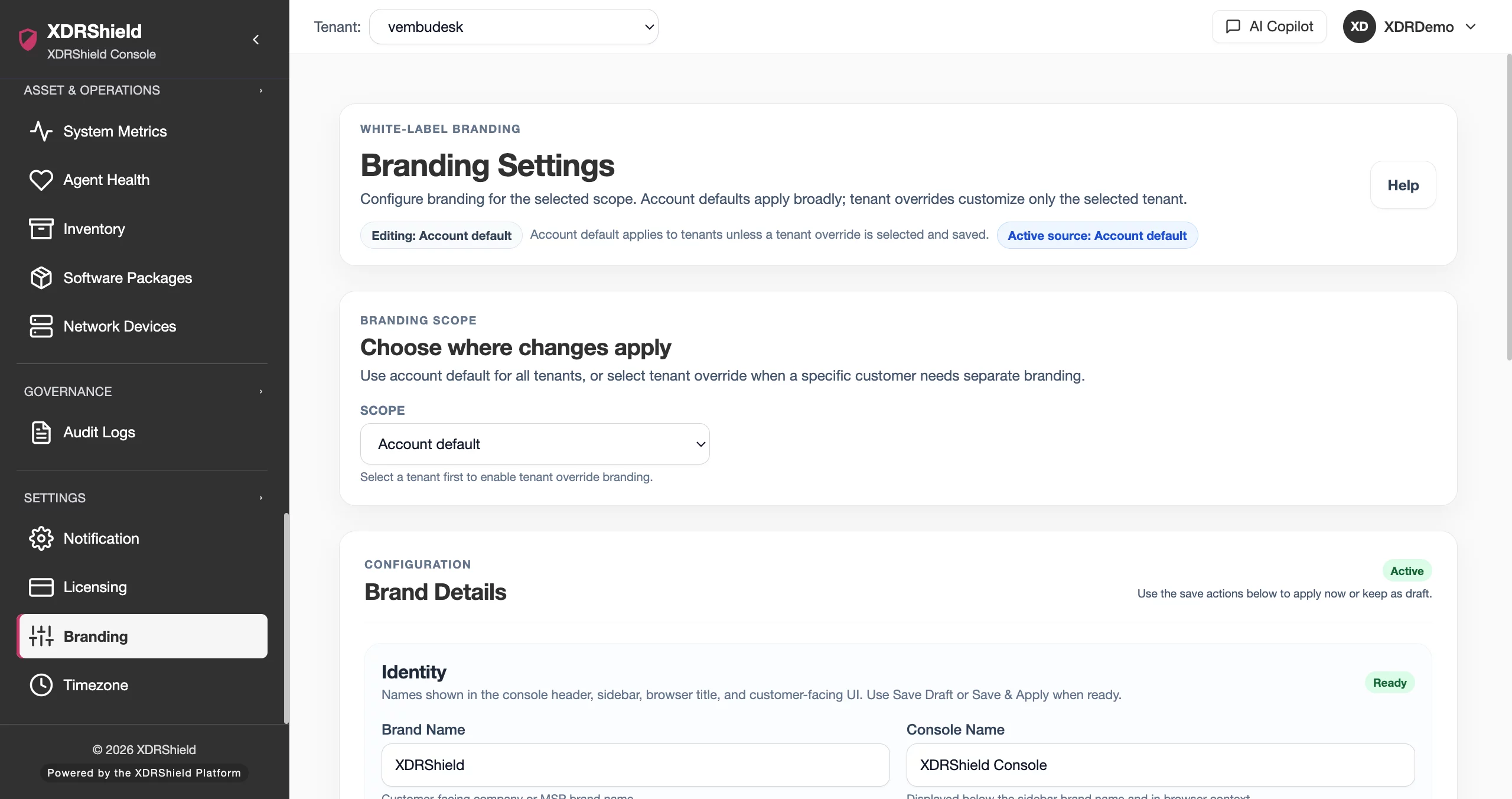
Branding should support trust without weakening operational control.
MSPs and customer-facing teams need the console experience to feel aligned with the service they deliver, but branding changes still need clear ownership, validation, and auditability. Branding Settings keeps presentation updates separate from security policy and investigation workflows.
Manage brand presentation in the right scope before customer-facing use.
Branding Settings are used to review and configure supported customer-facing identity details. Operators should confirm the selected tenant or customer scope, update only the intended presentation fields, preview where possible, and use activity history to verify the change after saving.
- Confirm tenant or customer scope before changing identity, logo, or presentation details.
- Use approved brand assets and avoid changing security terminology or product claims through branding fields.
- Preview customer-facing presentation where supported before relying on it in live service delivery.
- Review Activity Logs after important branding changes for governance and customer-change evidence.
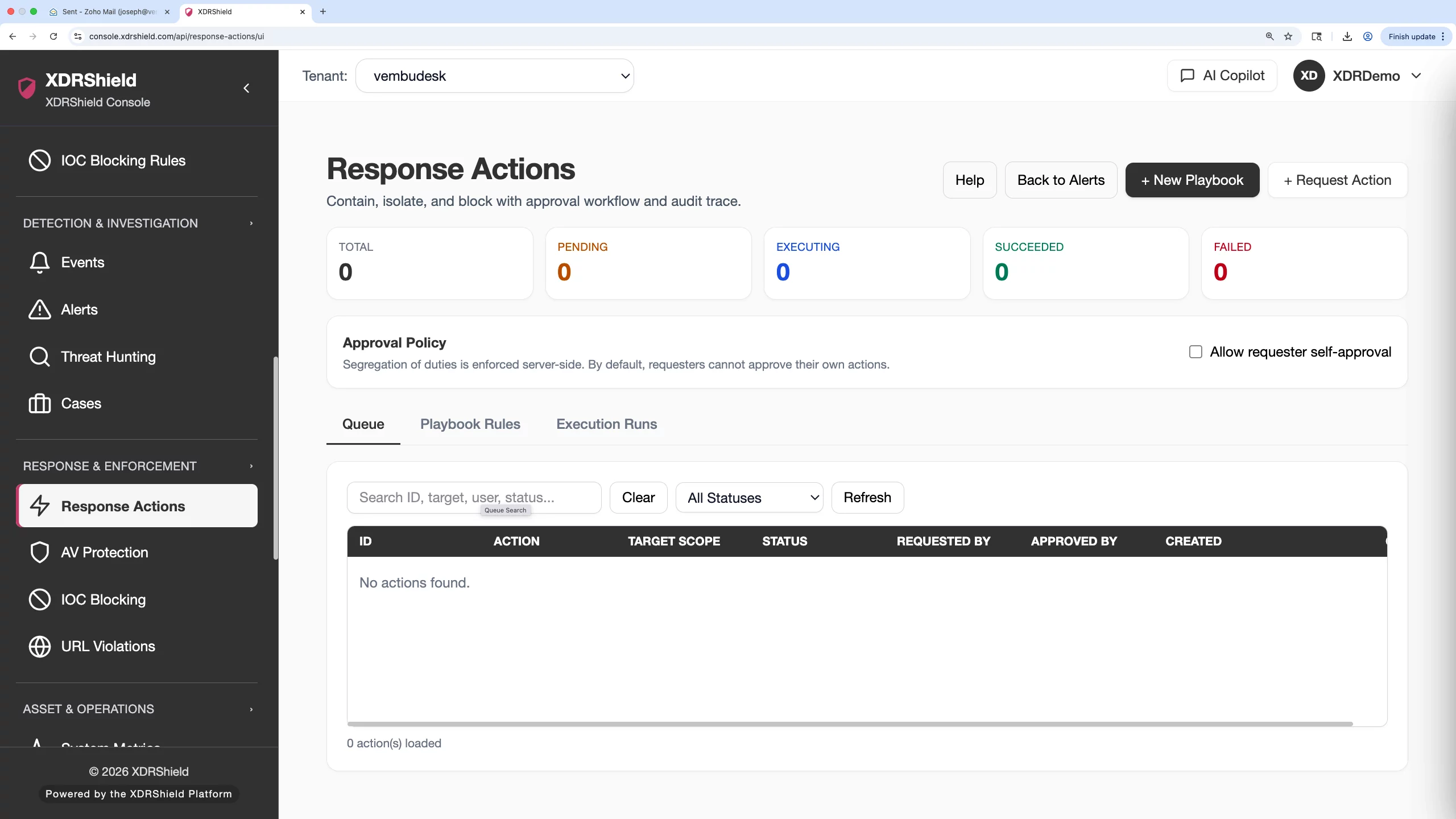
What XDRShield Branding Settings helps teams do.
Each capability supports safe customer-facing presentation without inventing new security behavior.
Tenant-scoped branding
Apply supported branding details within the intended customer, tenant, provider, or workspace boundary.
Presentation preview
Review the customer-facing appearance where supported before treating the configuration as ready.
Approved asset use
Keep logo and identity updates aligned to approved provider or customer brand assets.
Configuration review
Separate branding configuration from security policies, detection rules, and response controls.
Governed change evidence
Use activity history to confirm who updated branding and when the change was applied.
Customer operations alignment
Connect branding work with customer management so service delivery and customer presentation stay aligned.
Console experience consistency
Keep sign-in, navigation, and customer-facing console presentation consistent where branding is supported.
Troubleshooting scope issues
Check selected tenant, user role, and customer scope before assuming a branding change failed.
From branding request to validated customer presentation.
A careful branding workflow prevents accidental cross-tenant presentation changes and keeps brand updates auditable.
Confirm request and scope
Identify which customer, tenant, provider, or workspace the branding update belongs to.
Prepare approved assets
Use approved logo, naming, and presentation details supplied by the organization or customer.
Update supported fields
Change only the intended branding fields and avoid editing security policy or product behavior.
Preview the experience
Review the resulting customer-facing experience where preview or live validation is available.
Save and verify
Reload the relevant console areas and confirm the update appears in the intended scope only.
Review activity evidence
Check Activity Logs for actor, time, and outcome when branding changes require governance evidence.
Where Branding Settings helps most.
Use Branding Settings when customer-facing presentation, MSP service identity, or tenant-specific console experience needs controlled customization.
MSP-branded service delivery
Align the console experience with provider identity where supported for managed-service customers.
Customer onboarding
Apply approved customer or provider presentation details before handing over portal access.
Brand governance
Use approved assets and retain change evidence for customer-facing identity updates.
Scope troubleshooting
Validate selected tenant, customer, and user role when a branding update does not appear as expected.
Change review
Use Activity Logs to review who changed branding and whether the update succeeded.
Operator clarity
Use consistent presentation to reduce confusion between customer environments and workspaces.
Separate presentation settings from security operations settings.
This table clarifies what branding settings should and should not be used for.
| Area | What it means | How teams use it |
|---|---|---|
| Brand identity fields | Supported organization, provider, or tenant presentation details such as name and logo where available. | Use to align customer-facing experience with approved service identity. |
| Preview and validation | Review how configured branding appears in supported console areas. | Use before customer handoff or when troubleshooting visibility issues. |
| Activity evidence | Audit trail for branding changes and administrative ownership. | Use for governance, customer reviews, and change accountability. |
| Not a security policy control | Branding does not define detection rules, alert logic, access privileges, or response behavior. | Use policy, user, tenant, and response pages for security and governance controls. |
Branding settings for MSP and customer operations.
Branding supports trust and clarity, while operational controls remain in customer management, users, policies, and audit logs.
For MSP and service-provider teams
Use Branding Settings to align customer-facing presentation with approved managed-service identity.
- Confirm customer or tenant scope before applying changes.
- Use approved assets and naming only.
- Verify changes before customer handoff.
For governance and operations teams
Use audit evidence and scope validation to keep branding changes controlled and reviewable.
- Review Activity Logs after important changes.
- Separate branding updates from security policy changes.
- Validate user role and tenant scope during troubleshooting.
Branding Settings FAQs.
What are Branding Settings in XDRShield?
Branding Settings manage supported customer-facing presentation details such as organization identity and logo display within the intended tenant, provider, or customer scope.
Do branding settings change security behavior?
No. Branding is presentation-focused. Detection rules, alert logic, response permissions, policies, and access control are managed in their own security and governance workflows.
What should teams verify before changing branding?
Teams should confirm the selected tenant or customer, use approved brand assets, check role permissions, preview where supported, and review activity evidence after the change.
How does branding support MSP operations?
Branding helps managed-service providers present a consistent customer-facing service experience while keeping customer and tenant scopes separated.
Can branding changes be audited?
Important branding changes should be reviewed through Activity Logs where actor, timestamp, target, and outcome evidence is available.
Apply brand identity without changing security behavior.
Use XDRShield Branding Settings to manage approved presentation details, validate customer scope, and preserve governance evidence for brand updates.












