
Organize investigations with ownership, severity, timelines, and evidence-linked workflow.
XDRShield Cases help analysts turn alerts, hunting findings, endpoint evidence, and response context into tracked investigations with owner assignment, severity, status, SLA pressure, notes, timelines, and clear handoff between detection and action.
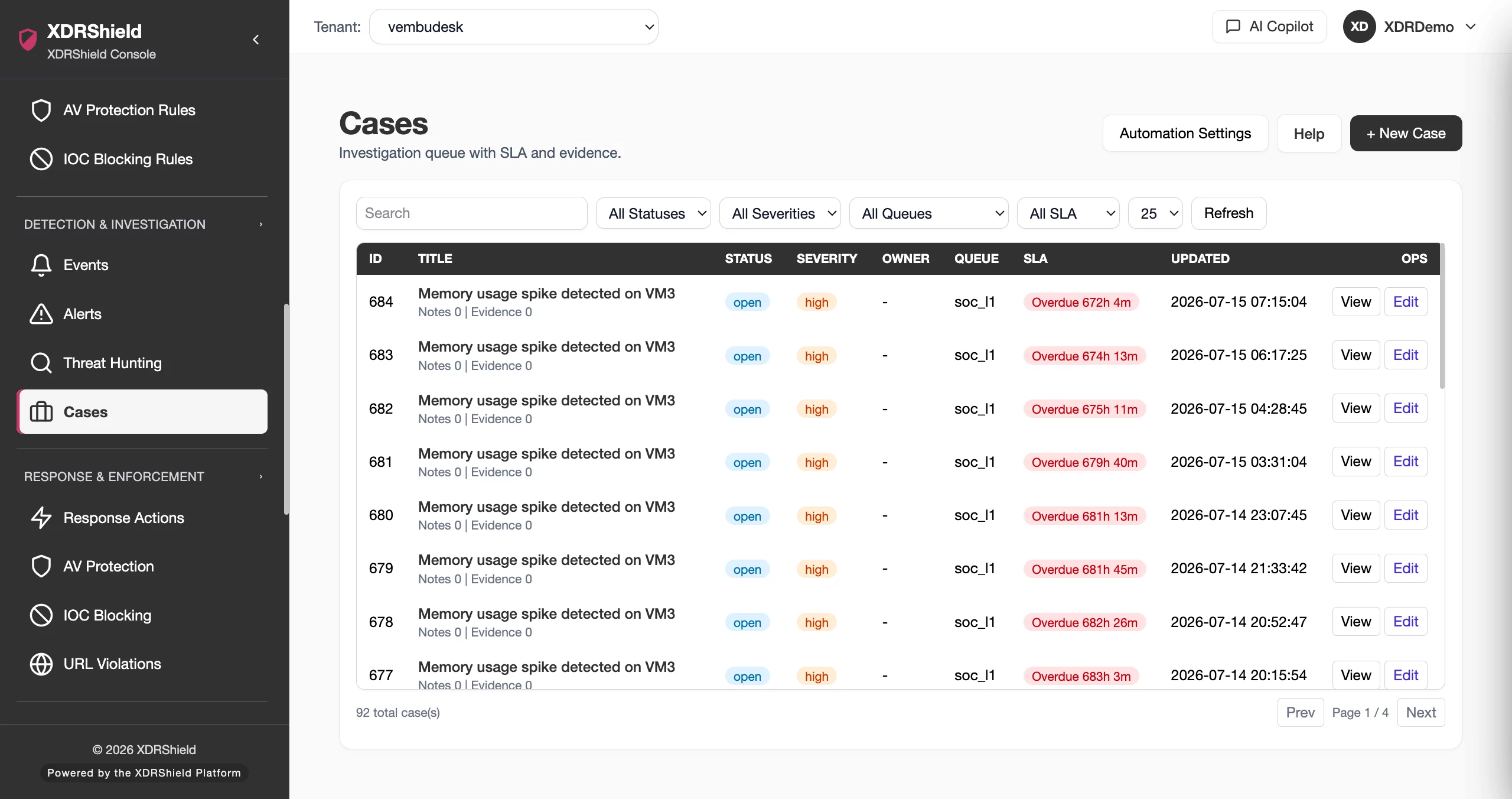
Cases keep investigations from becoming scattered alert review.
Security teams need a place to group related alerts, events, endpoint context, analyst notes, and response decisions. Cases provide the operating structure for assigning accountability, tracking progress, and preserving the evidence chain from first signal through resolution.
Turn related security evidence into tracked investigation work.
Cases provide a structured investigation workspace. Analysts can create cases from important findings, assign owners, set severity and status, track progress, attach evidence, build timelines, and carry context forward into governed response or final resolution.
- Create cases from alerts, hunts, events, or analyst-confirmed findings.
- Assign owner, severity, priority, status, and SLA context to keep progress visible.
- Build a chronological timeline from related alerts, endpoint events, file changes, registry activity, and response actions.
- Preserve notes, decisions, and evidence links for audit, handoff, and post-incident review.
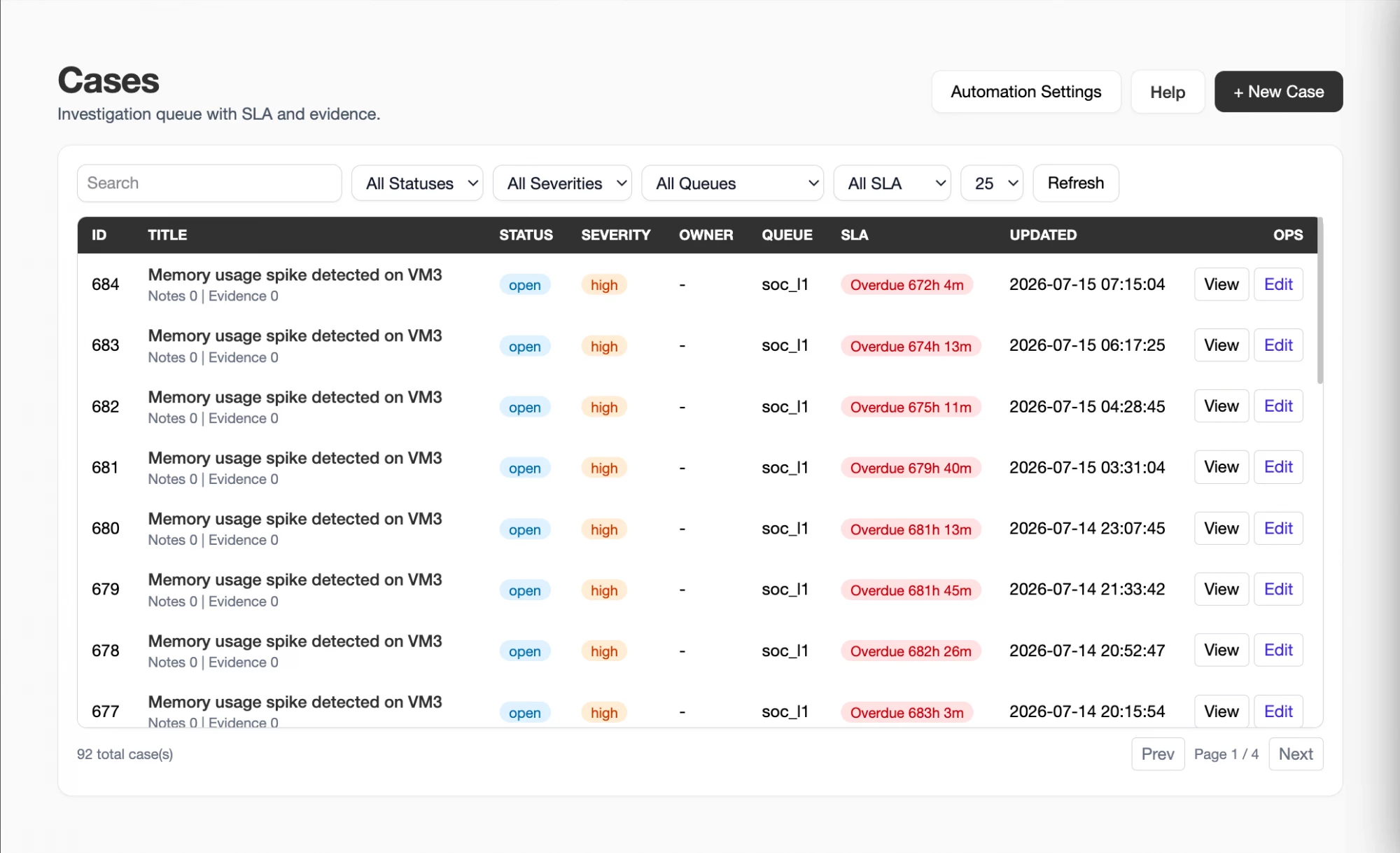
What XDRShield Cases helps teams do.
Each capability supports investigation coordination from first finding to resolution and response handoff.
Case creation and ownership
Turn confirmed findings into tracked work with owner, severity, priority, status, and investigation context.
SLA and time tracking
Monitor due, due-soon, and overdue investigation work so important cases do not disappear in queues.
Evidence grouping
Connect alerts, security events, hunt results, endpoint context, notes, and response history into one case view.
Timeline reconstruction
Review related activity in chronological order to understand sequence, scope, and escalation path.
Alert escalation
Escalate high-value alerts into cases when triage requires ownership, investigation, or response.
Response handoff
Carry case evidence into governed response requests so containment decisions have context.
Hunt-to-case workflow
Create or update cases from threat hunting findings and retained endpoint evidence.
Tenant-scoped casework
Keep customer investigations separated while supporting central SOC and MSP workflows.
From finding to closed investigation.
A clear case workflow keeps analysts aligned and preserves evidence as work moves across people and teams.
Open or create a case
Start from a validated alert, hunt result, event, or analyst-observed finding that needs tracked investigation.
Set ownership and severity
Assign owner, priority, severity, status, and SLA context so the case has accountable progress.
Add evidence
Attach related alerts, events, endpoint details, indicators, notes, and supporting observations.
Build the timeline
Order related activity chronologically to understand sequence, scope, and affected systems.
Hand off action
Request governed response or remediation when evidence supports containment, blocking, isolation, or other action.
Resolve with context
Close or update the case with outcome, evidence, and notes that explain the decision.
Where Cases helps most.
Use cases when security work needs accountability, grouped evidence, timeline context, or coordinated response.
High-severity alert investigation
Move critical alerts into cases when they require owner assignment, timeline review, and response decisions.
Threat hunting follow-up
Convert hunt findings into tracked cases with evidence links and affected endpoint context.
Incident reconstruction
Build chronological timelines for process activity, network events, file changes, registry changes, and response history.
Response coordination
Use case context to support approval-aware containment and remediation workflows.
Post-incident review
Retain notes, evidence, ownership, and outcomes for review after the investigation closes.
MSP customer investigations
Separate customer cases by tenant while keeping SOC workflows consistent across managed environments.
Use cases when alert triage needs ownership and evidence continuity.
This table helps teams decide when to keep work in alert triage and when to move into a case.
| Area | What it means | How teams use it |
|---|---|---|
| Alert triage | A detection needs quick review, acknowledgement, resolution, or escalation. | Use Security Alerts when the item can be dispositioned without a tracked investigation. |
| Case investigation | A finding needs ownership, timeline context, evidence grouping, SLA tracking, or multiple analyst handoff. | Create or update a case so the investigation remains accountable. |
| Threat hunting finding | A proactive search finds suspicious activity that needs validation, scope review, or response. | Turn the hunt result into a case and attach relevant evidence. |
| Governed response | Evidence supports containment, blocking, isolation, or remediation. | Hand off from the case to response actions with affected endpoint and timeline context. |
Cases for SOC, IT, and MSP teams.
Cases give every team the same evidence-backed investigation structure while preserving tenant and customer boundaries.
For SOC and investigation teams
Use Cases to organize alerts, hunts, events, evidence, timelines, notes, and response handoff in one tracked workflow.
- Assign owner, severity, status, and SLA context.
- Attach related alerts, events, and endpoint evidence.
- Close investigations with clear outcome notes.
For MSP and service-provider teams
Use tenant-scoped cases to manage customer investigations with consistent ownership, progress tracking, and audit-ready history.
- Keep cases separated by customer and workspace.
- Use common severity and status conventions.
- Preserve customer-specific evidence for reporting.
Cases FAQs.
What are Cases in XDRShield?
Cases are tracked investigation records that group alerts, events, hunt findings, endpoint evidence, notes, owner assignment, severity, status, SLA context, timelines, and response handoff.
When should an alert become a case?
An alert should become a case when it needs ownership, deeper evidence review, timeline reconstruction, analyst handoff, response coordination, or post-incident documentation.
How do cases relate to threat hunting?
Threat hunting findings can be turned into cases so suspicious results are tracked with owner, severity, timeline, notes, and response context.
Can cases connect to response actions?
Yes. Cases can carry evidence and affected endpoint context into governed response workflows so containment or remediation decisions are backed by investigation context.
How do cases support MSP operations?
Cases remain tenant-scoped so service-provider teams can manage customer investigations separately while using consistent SOC workflow across customers.
Group evidence, assign ownership, and move from findings to action.
Use XDRShield Cases to track investigations, build timelines, preserve evidence, and hand confirmed findings into governed response workflows.












