
Bring network devices, endpoint assets, and exposure context into security operations.
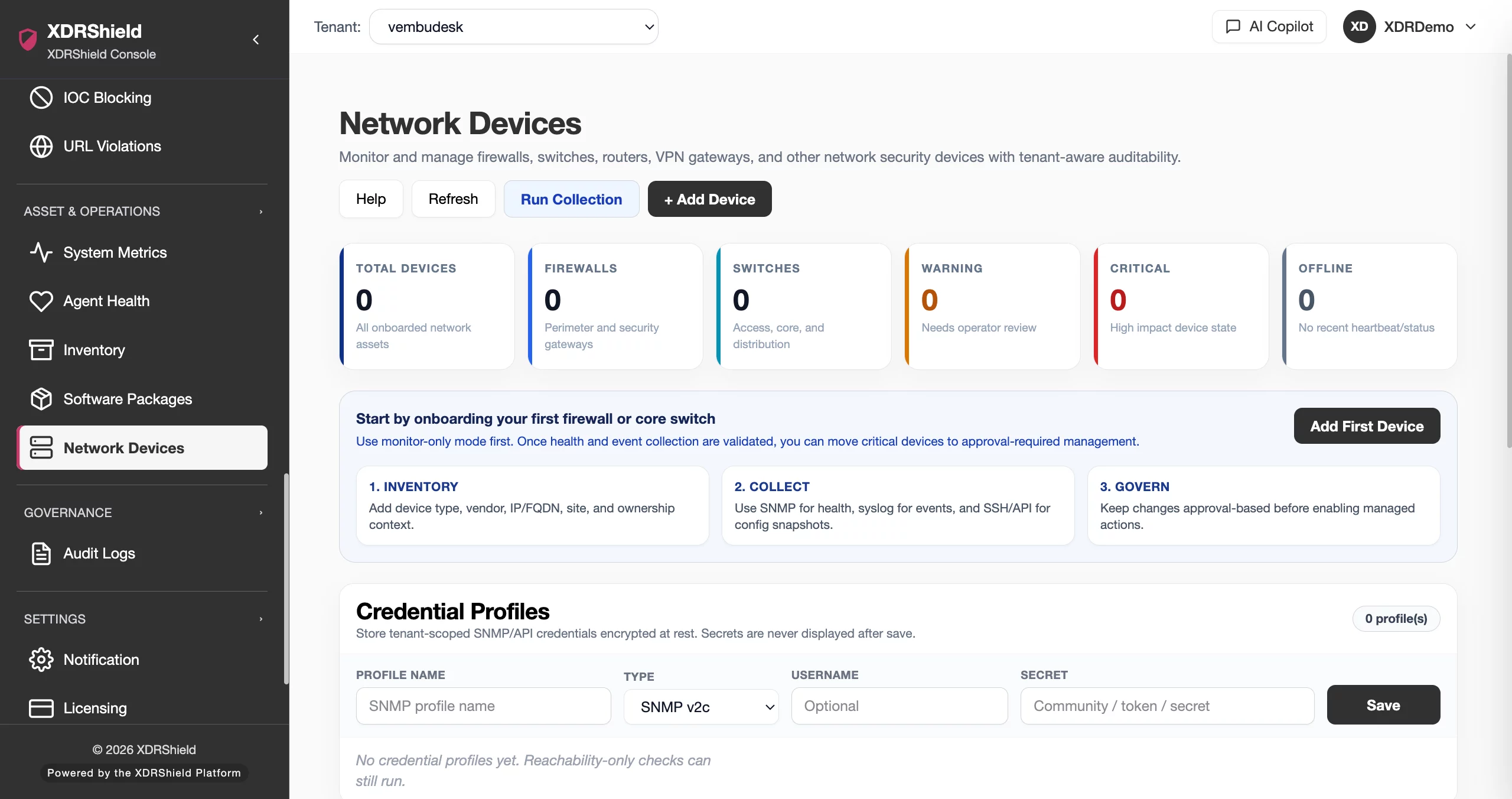
XDRShield helps security and MSP teams review supported network devices, endpoint inventory, agent health, installed software, vulnerabilities, system metrics, and collection status in the customer and tenant context where investigation happens.
Security decisions weaken when teams cannot trust asset identity, health, or evidence freshness.
A device record alone is not enough. Analysts need to know which customer owns the asset, whether collection is working, what software and vulnerabilities are present, and whether the evidence is current enough to support investigation or response.
Connect asset discovery, collection health, exposure, and investigation.
XDRShield combines device and endpoint context with security operations so teams can distinguish a monitored asset from a stale record, understand what evidence is available, and decide what follow-up is justified.
- Keep network-device and endpoint identity aligned with the correct customer and tenant.
- Review agent, collector, credential, synchronization, and freshness dependencies before trusting visibility.
- Connect inventory, software, vulnerabilities, metrics, events, and alerts during investigation.
- Preserve asset context when work moves into cases, policies, remediation, or governed response.
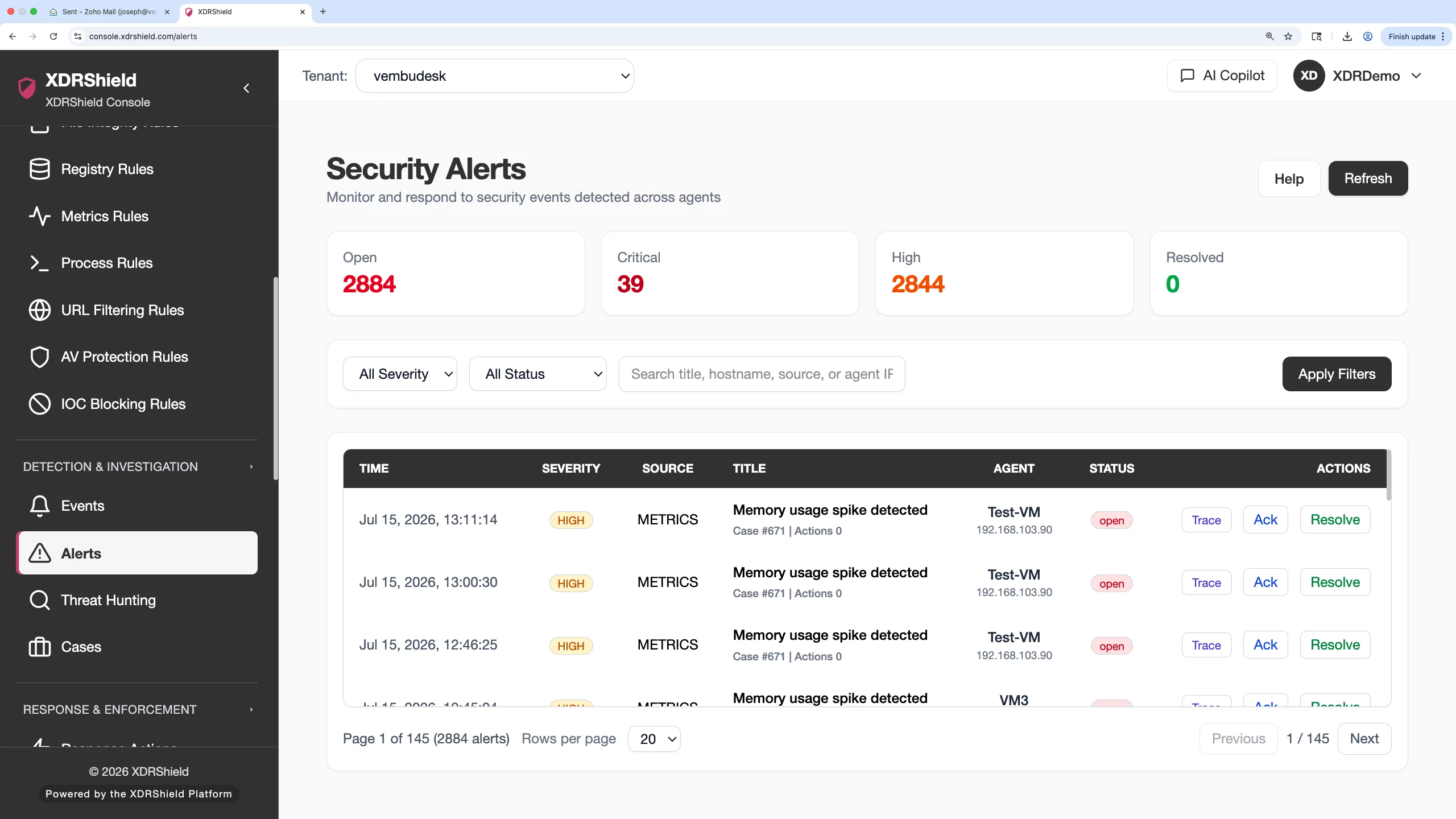
What XDRShield helps teams understand about monitored assets.
Use these capabilities together to establish asset identity, verify collection, understand exposure, and bring reliable context into security operations.
Network device inventory
Review supported network devices, identifying details, monitoring status, reachability, and customer or tenant context.
Credential and connection readiness
Validate the credential and connection dependencies required for supported network-device collection.
Agent health and heartbeat
Check connection state, version, heartbeat, and evidence freshness before relying on endpoint telemetry.
Endpoint inventory
Use collected operating-system, hardware, interface, and asset details to understand the endpoint behind an alert.
Software and package context
Review installed software and package versions during exposure review, investigation, and remediation planning.
Vulnerability visibility
Connect vulnerability findings with endpoint identity, software context, severity, status, and collection freshness.
System metrics
Use resource and operating signals as supporting evidence when an asset behaves unexpectedly.
Operations health
Review the collection and synchronization path behind inventory, metrics, events, and asset evidence.
From asset registration to investigation-ready evidence.
Reliable visibility is an operating process. Teams should establish scope, verify collection, review context, and preserve evidence when work progresses.
Confirm scope
Select the correct customer, tenant, workspace, device, or endpoint before reviewing data.
Register and connect
Confirm supported device details, endpoint agent state, credentials, and collection prerequisites.
Verify freshness
Review heartbeat, synchronization, status, and timestamps before treating evidence as current.
Review asset context
Inspect operating system, hardware, interfaces, software, packages, vulnerabilities, and metrics.
Correlate security evidence
Connect device and endpoint context with events, alerts, hunts, cases, and policy state.
Record follow-up
Preserve ownership, findings, remediation, policy changes, response results, and activity history.
Visibility for analysts, infrastructure teams, and service providers.
The same asset evidence supports different decisions. XDRShield keeps device context usable without removing customer scope or operational responsibility.
For SOC and investigation teams
Use asset identity, software, vulnerability, health, and freshness context to validate alert scope, prioritize investigation, and explain why follow-up is needed.
- Understand the endpoint or device behind a signal.
- Separate missing telemetry from normal activity.
- Carry relevant evidence into cases and response review.
For MSP and infrastructure teams
Review monitored assets across customer environments while preserving tenant boundaries, delegated access, credential responsibility, and collection health.
- Keep customer assets and evidence separated.
- Identify stale agents, collection gaps, and unsupported states.
- Use operational records for service review and escalation.
Where network and asset visibility helps most.
Use this capability when investigation quality depends on knowing what the asset is, whether it is reporting, what exposure exists, and who owns the next action.
Network-device monitoring
Keep supported device identity, status, reachability, and monitoring context available for operations.
Endpoint health review
Identify stale, disconnected, outdated, or incomplete endpoint telemetry before it becomes a blind spot.
Asset and software inventory
Use hardware, operating-system, interface, software, and package details to improve triage.
Exposure prioritization
Review vulnerabilities with asset, software, severity, ownership, and freshness context.
Operational diagnostics
Use system metrics and collection health to investigate abnormal behavior and missing evidence.
Investigation evidence
Bring asset context into alerts, hunts, cases, policy decisions, and governed response records.
Network and asset visibility feature directory.
Explore the connected capabilities behind network-device status, credential readiness, endpoint health, inventory, software, vulnerabilities, system metrics, collection health, investigation, and tenant-scoped operations.
Network Device Inventory and Status
Maintain a tenant-aware view of supported network devices, including identifying details, device type, reachability, monitoring state, and the context analysts need before investigation.
- Review registered network devices inside the correct customer and tenant scope.
- Use device identity and status to separate active monitoring from stale or incomplete records.
- Open device context before troubleshooting reachability, credentials, or collection issues.
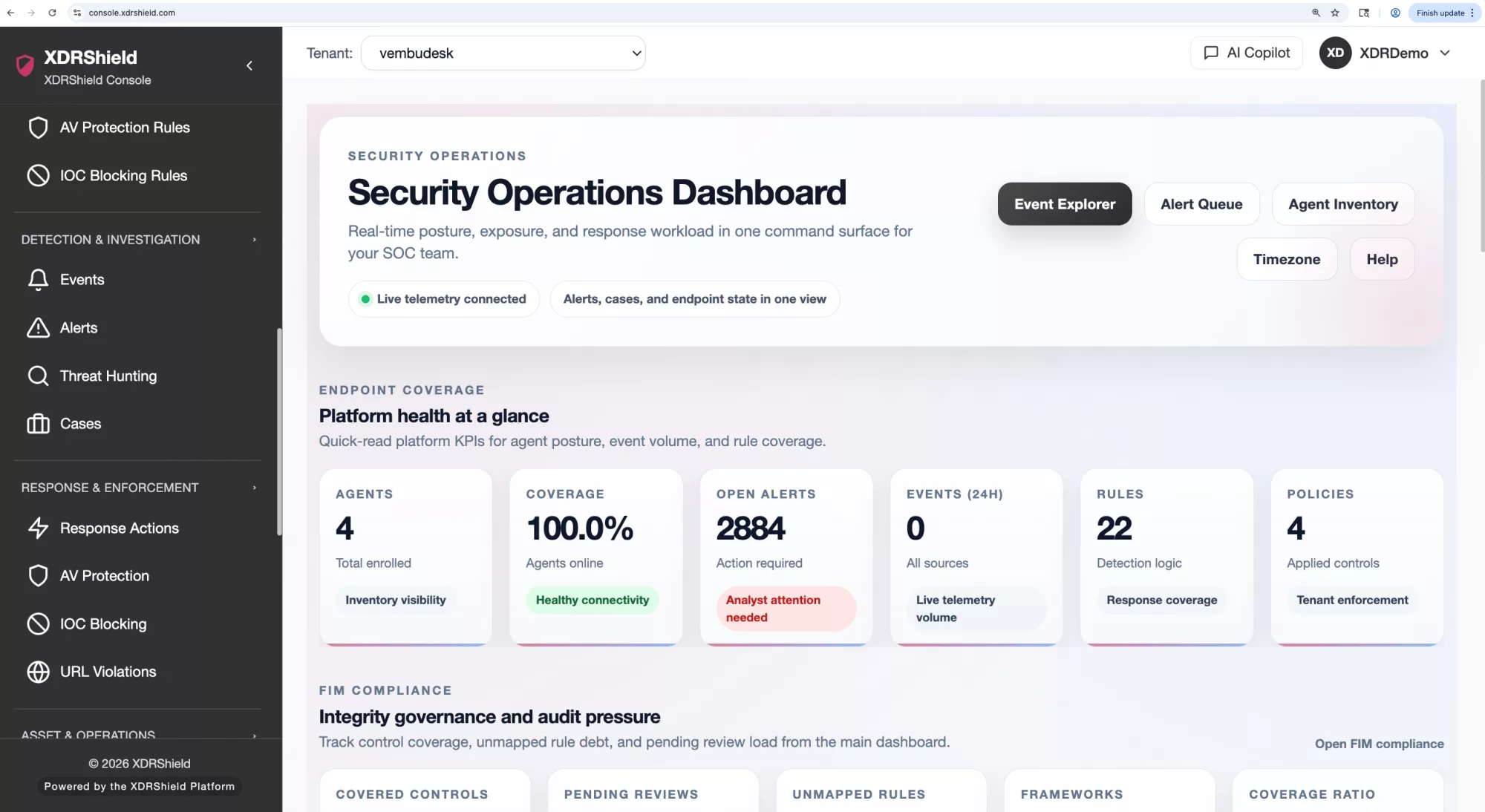
Credential Readiness and Validation
Keep network-device collection dependent on explicit credential configuration and validation rather than assuming that a registered asset is ready for monitoring.
- Associate the appropriate credential record with the intended device scope.
- Review validation and connection feedback before relying on collected data.
- Treat credential access as a governed operational dependency and protect it through scoped roles.
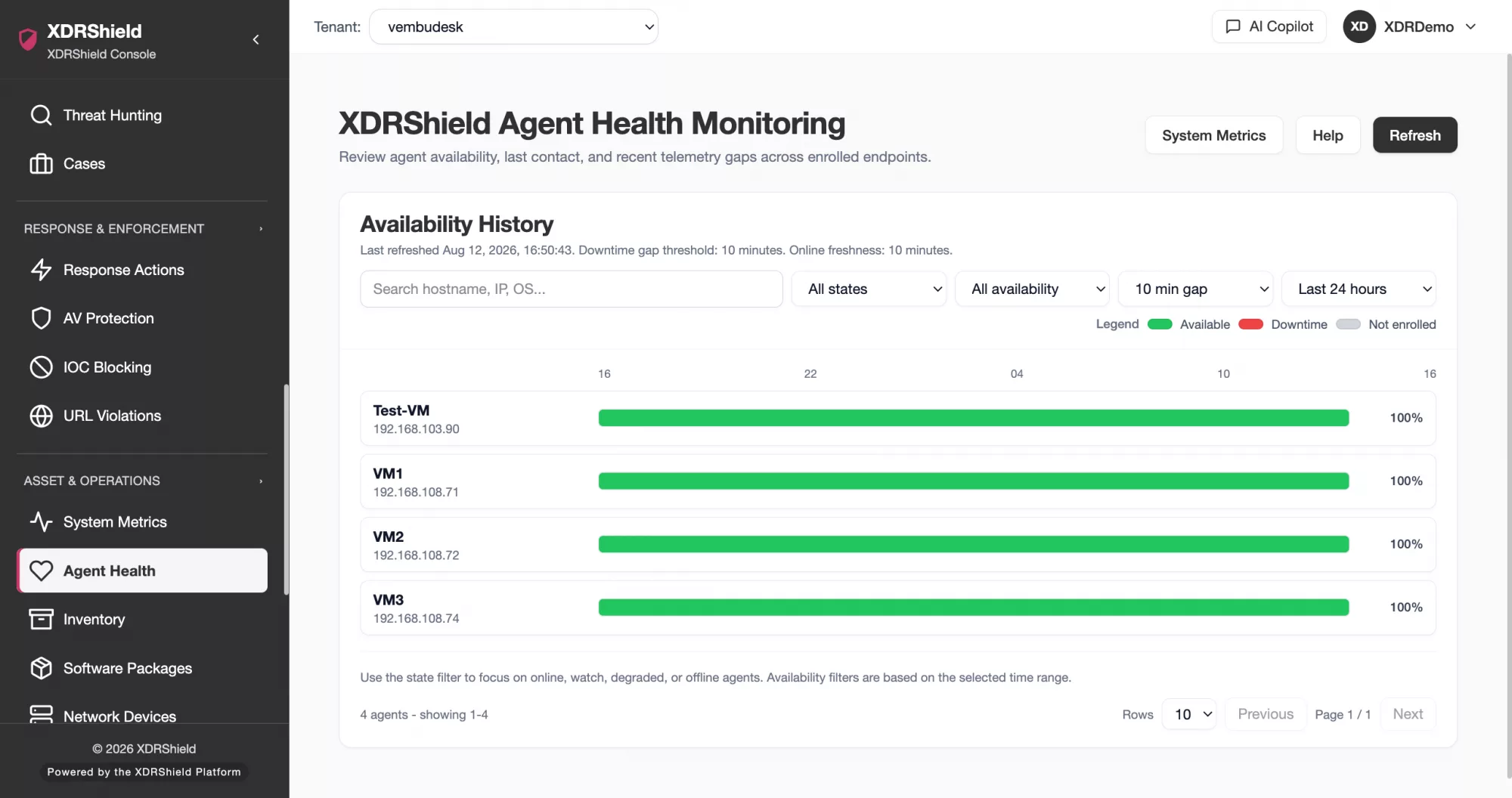
Agent Health and Heartbeat
See whether endpoint agents are connected, current, and contributing fresh security evidence so missing telemetry is not mistaken for a healthy asset.
- Review agent status, version, heartbeat, and freshness together.
- Identify stale or disconnected agents before investigation depends on their evidence.
- Separate endpoint health problems from detection or policy problems.
Endpoint Hardware and Operating-system Inventory
Use Syscollector context to understand the endpoint behind an alert: operating system, hardware, interfaces, installed software, and other collected asset details.
- Connect endpoint identity and operating-system context to security events.
- Review inventory freshness before treating asset data as current.
- Use collected context to improve triage, ownership, and remediation planning.
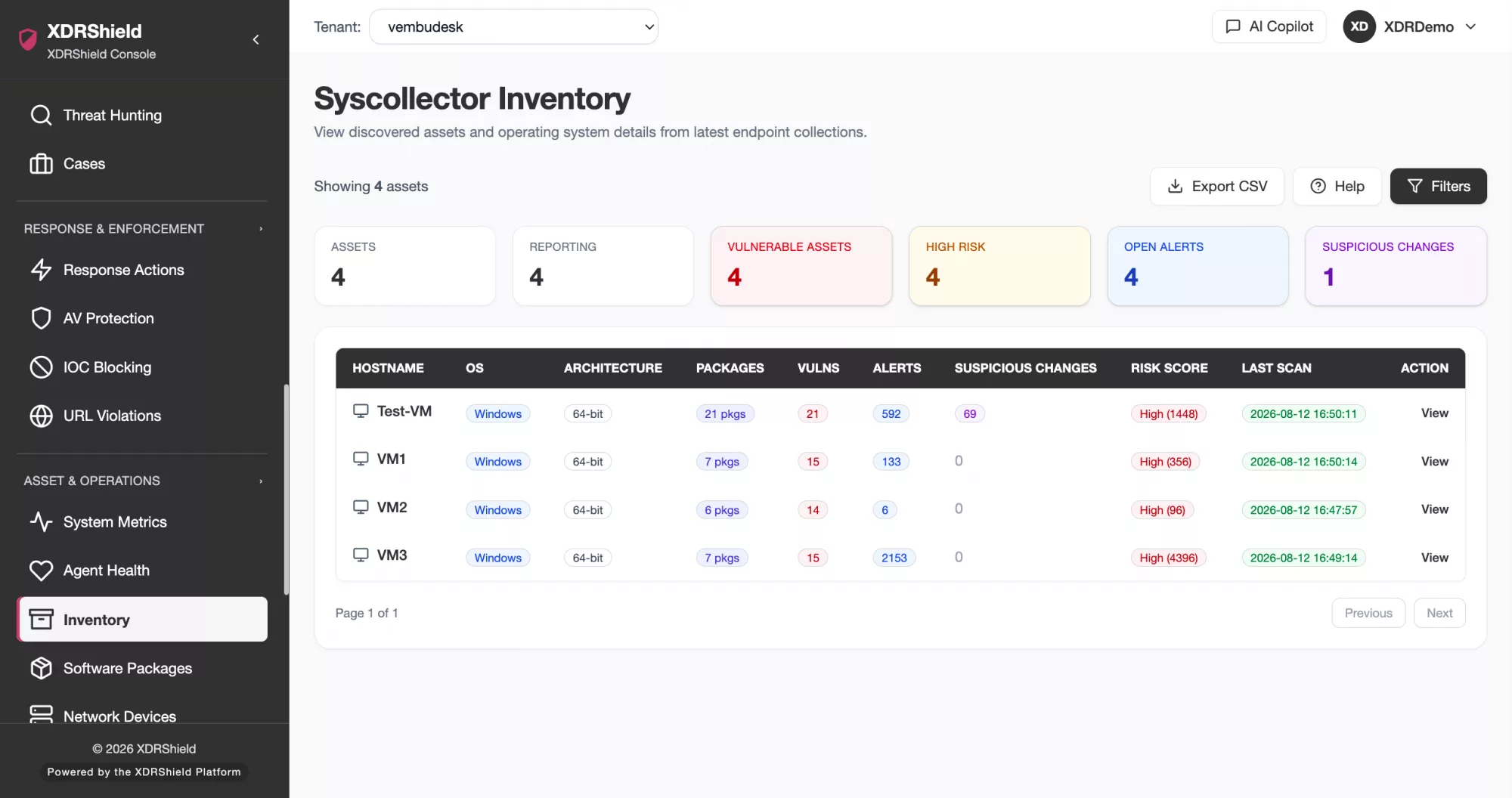
Installed Software and Package Visibility
Review collected package and software information to understand what is installed, which version is present, and where investigation or remediation may need to focus.
- Search installed software by endpoint and tenant scope.
- Use package and version context during vulnerability and incident review.
- Verify collection freshness before making exposure or remediation decisions.
Vulnerability and Exposure Context
Bring detected vulnerability context together with endpoint identity, software inventory, severity, status, and evidence freshness instead of reviewing exposure as an isolated list.
- Prioritize findings using asset criticality, software context, severity, and current state.
- Connect exposure review to cases, policy decisions, or remediation follow-up.
- Recheck inventory and detection freshness before declaring risk resolved.
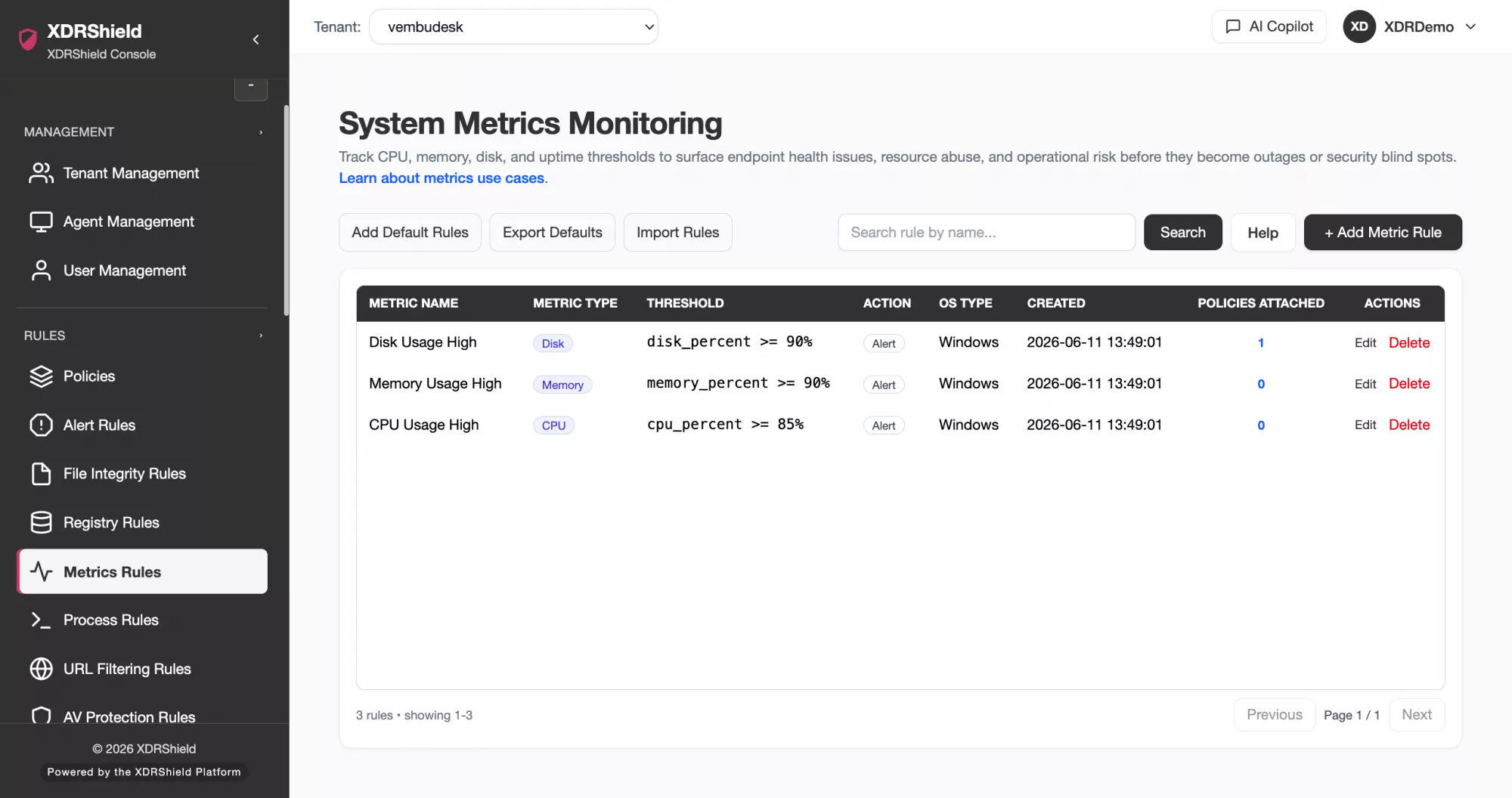
System Metrics and Resource Signals
Use CPU, memory, storage, service, and operating signals as supporting context when an endpoint or monitored device behaves unexpectedly.
- Review operational signals alongside alerts and endpoint events.
- Use trends and thresholds to distinguish security symptoms from capacity or health issues.
- Preserve tenant and asset context when escalating anomalous behavior.
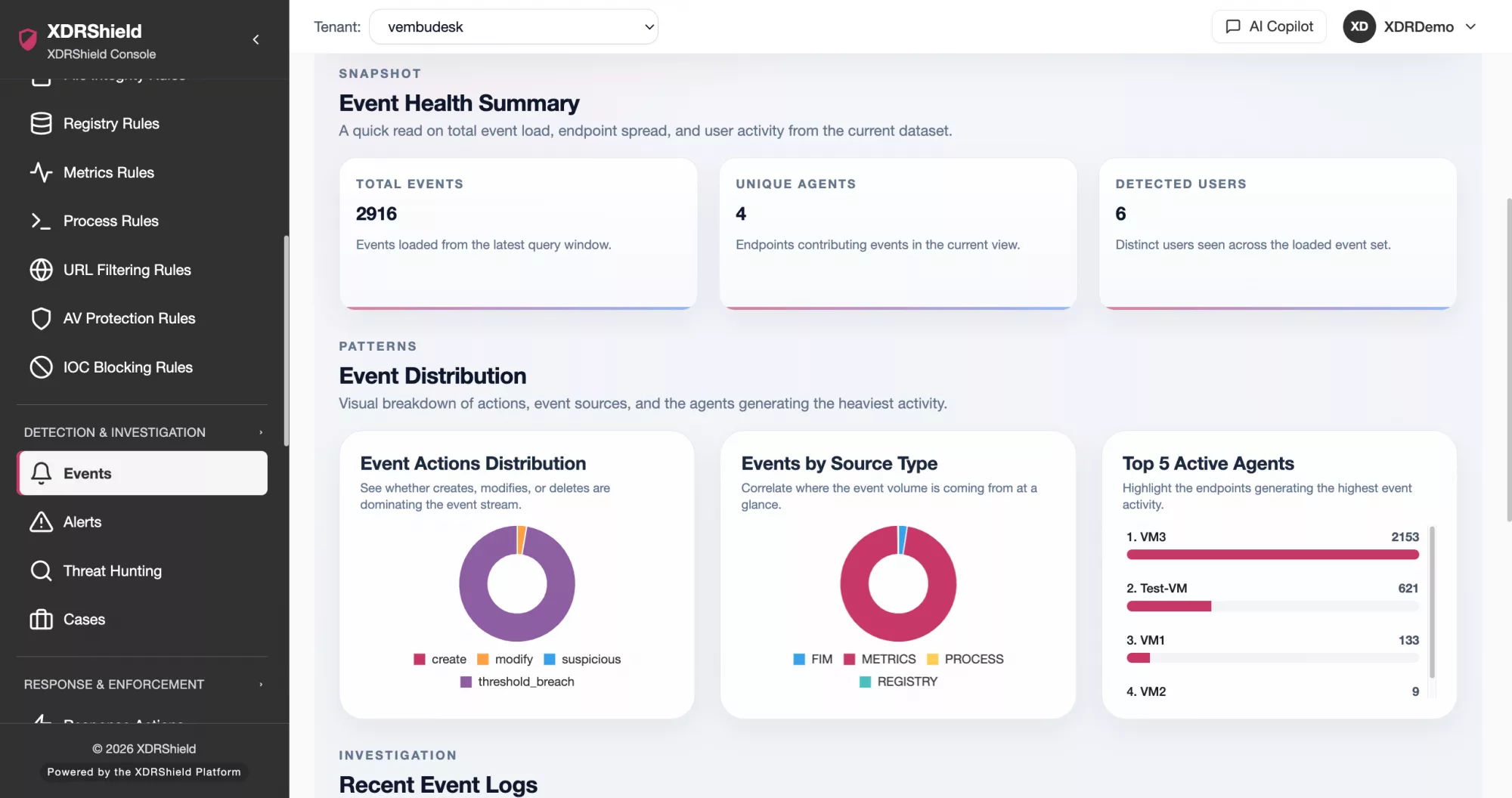
Collection and Operations Health
Monitor the operational path behind visibility—including agents, collectors, synchronization, ingestion, and data freshness—so teams know when a dashboard has blind spots.
- Check the collection path when inventory, metrics, or events stop updating.
- Use status and error context to target follow-up instead of guessing.
- Record operational gaps that affect investigation confidence or customer reporting.
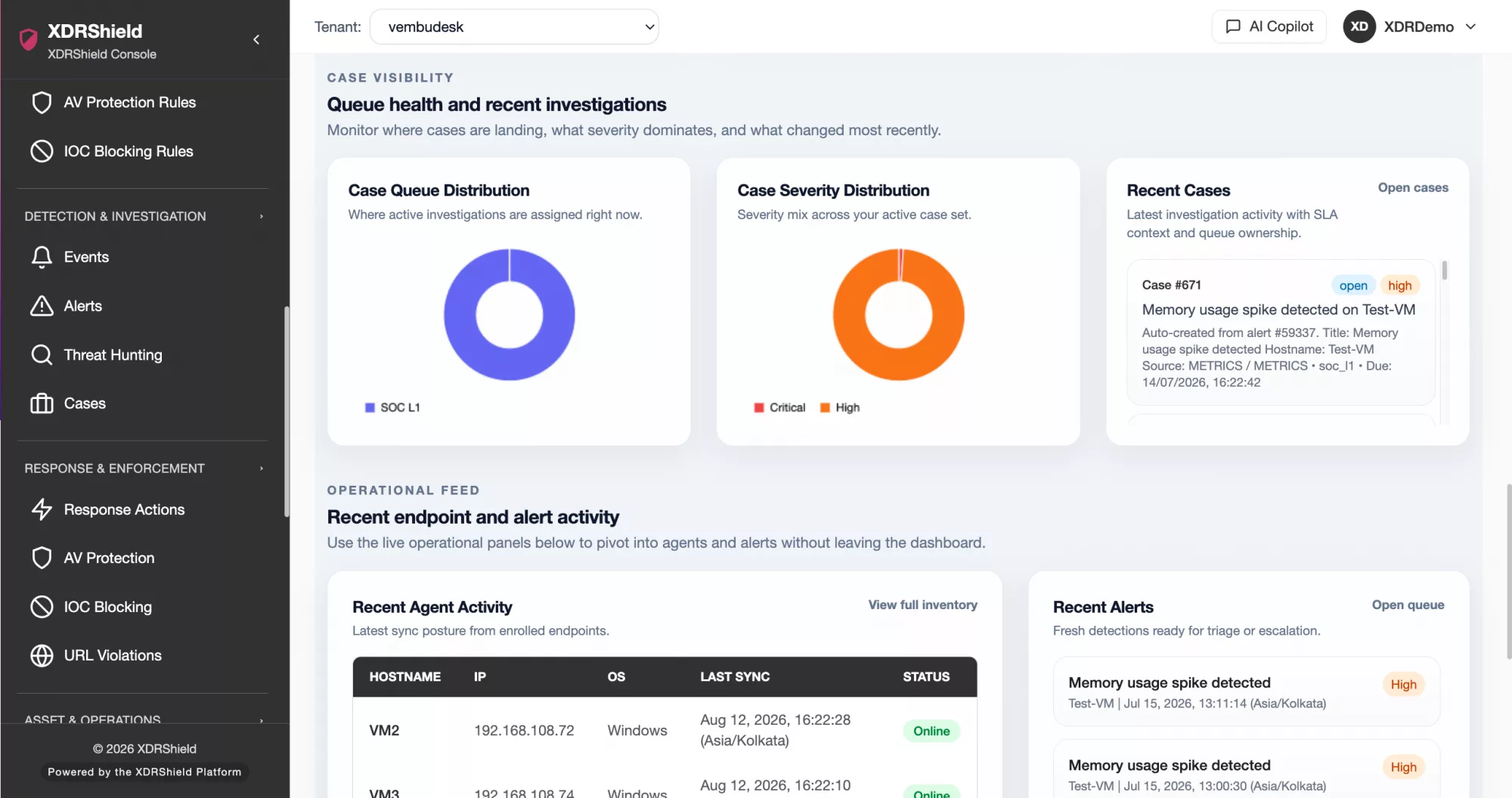
Asset Context for Investigation
Move from a device, endpoint, package, vulnerability, or health signal into hunting and case work without losing customer, tenant, asset, or timestamp context.
- Attach relevant asset evidence to cases and investigation timelines.
- Use endpoint and network context to validate scope and ownership.
- Keep remediation and response decisions tied to the evidence that justified them.
Tenant-scoped Visibility for MSPs
Give service-provider teams a centralized view while keeping network devices, endpoints, credentials, inventory, health, vulnerabilities, and operational records separated by customer.
- Confirm customer and tenant scope before reviewing or changing monitored assets.
- Use delegated roles for device, credential, policy, and investigation workflows.
- Keep customer evidence and operational history from crossing tenant boundaries.
Network-device visibility FAQs.
What does network-device visibility cover in XDRShield?
It brings supported network-device details together with endpoint inventory, agent health, installed software, vulnerabilities, system metrics, and collection status so teams can understand an asset before making investigation or response decisions.
Does a registered device mean monitoring is working?
No. Teams should verify connection or credential prerequisites, collector or agent state, synchronization, heartbeat, status, and evidence timestamps before treating visibility as current.
How does asset visibility help investigation?
Asset context helps analysts identify the affected endpoint or device, understand installed software and exposure, validate evidence freshness, determine ownership, and preserve relevant details in hunts and cases.
How does this support MSP operations?
MSP teams can review assets across managed environments while keeping customer, tenant, role, credential, evidence, and operational-history boundaries clear.
Can asset visibility replace vulnerability or response workflows?
No. Visibility provides context. Teams still need policies, investigation, remediation, verification, and governed response workflows to act on confirmed risk.
Know what is monitored, what is exposed, and whether the evidence is current.
Use XDRShield to connect network devices, endpoint inventory, agent health, software, vulnerabilities, metrics, and collection status with tenant-aware security operations.












