
Turn alerts and evidence into structured investigation work.
XDRShield helps analysts search retained evidence, validate suspicious activity, group findings into cases, assign ownership, and preserve a timeline from triage through resolution.
Threat investigation breaks down when evidence, ownership, and response live in separate places.
Security teams need to move quickly, but speed alone is not enough. XDRShield keeps investigation evidence connected to alerts, hunts, cases, timelines, response decisions, and tenant context so teams can understand what happened and what changed.
Connect alert triage, hunting, cases, and response handoff.
XDRShield is designed for teams that need evidence-led security operations rather than disconnected alerts. Analysts can start from events, alerts, endpoint findings, IOC context, URL activity, or inventory details, then organize the work into hunts and cases with an accountable timeline.
- Search events, alerts, endpoint evidence, and investigation activity with scope and time context
- Use hunts to validate suspicious behavior before escalating or creating case work
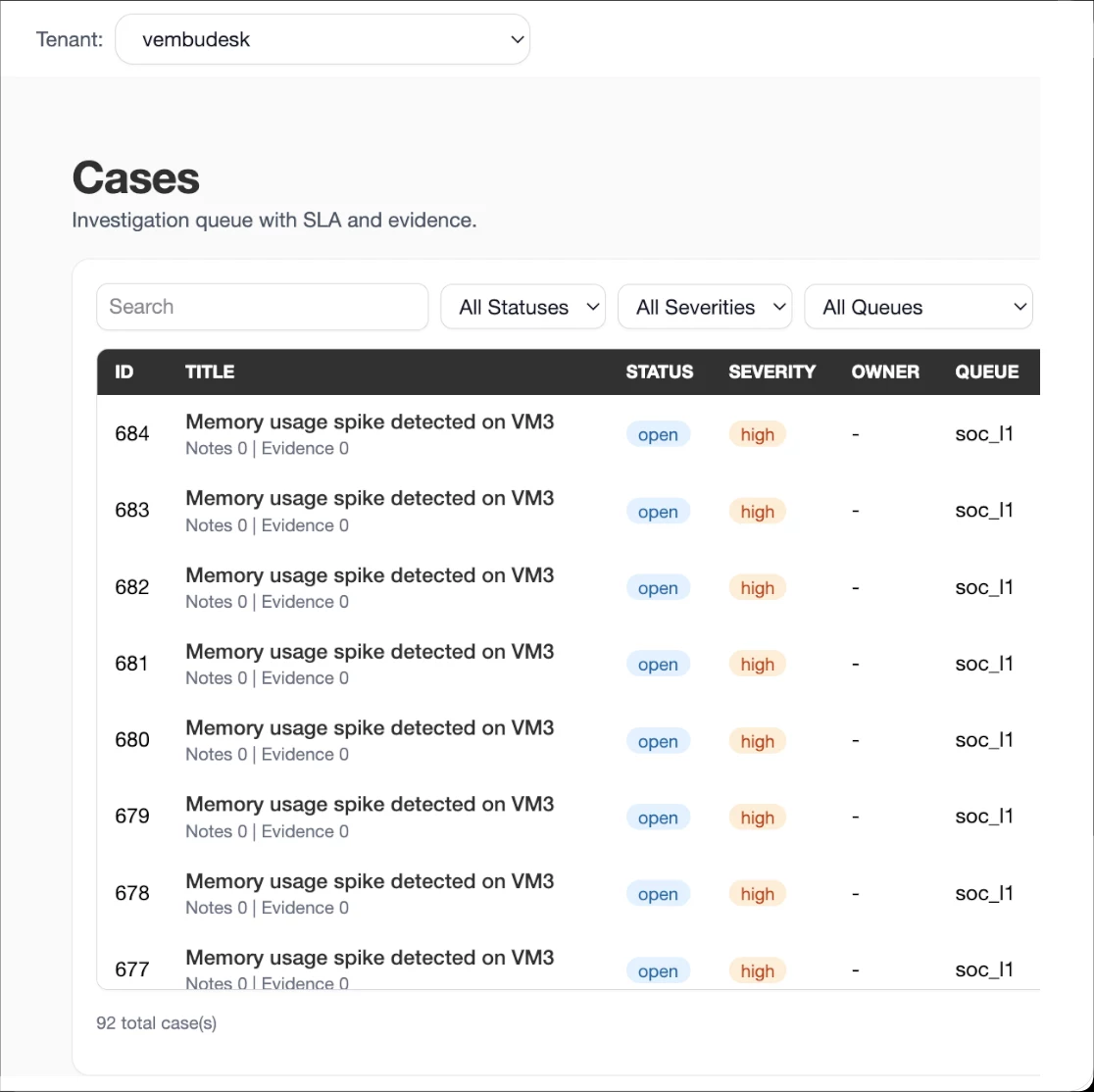
- Manage cases with status, owner, priority, SLA pressure, notes, and timeline history
- Move into governed response only when evidence supports the action and permissions allow it
What XDRShield helps investigation teams do.
Each capability supports a part of the investigation lifecycle, from initial signal review to evidence grouping, response handoff, and operational improvement.
Security alert triage
Review detections with severity, status, source, endpoint, and tenant context so analysts can decide what needs immediate attention.
Threat hunting search
Search retained evidence, inspect matched fields, save useful hunts, and use hunt results to support deeper investigation.
Case management
Group related evidence into cases with owner, priority, status, SLA context, notes, and resolution tracking.
Investigation timelines
Review chronological activity across evidence additions, case updates, decisions, and resolution work.
Endpoint evidence pivots
Connect alerts and hunts to process, file, registry, IOC, URL, antivirus, inventory, and endpoint-state context.
Response handoff
Escalate confirmed findings into governed response actions where supported, with approval and outcome records.
Policy and rule tuning
Use investigation findings to improve detection rules, policies, alert logic, and monitoring coverage.
Tenant-scoped operations
Run investigations across customer and tenant boundaries without mixing evidence, ownership, or access.
From signal to accountable resolution.
The strongest investigations follow a repeatable path: confirm the scope, examine evidence, hunt for related activity, manage the case, coordinate response, and improve detection coverage.
Confirm scope
Start with the correct customer, tenant, workspace, endpoint, user, time range, and permission boundary.
Review the signal
Inspect the alert, event, IOC, URL, process, asset, or detection record that triggered investigation.
Hunt for context
Search related evidence, validate suspicious behavior, and preserve useful hunt criteria for repeat review.
Open the case
Group related evidence, assign ownership, set priority and status, and track SLA or escalation pressure.
Coordinate action
When action is justified, use governed response workflows and preserve approval, execution, and result context.
Improve coverage
Feed lessons back into rules, policies, notifications, and operational records so future investigations start stronger.
Investigation work must stay clear across teams and tenants.
Threat hunting and case investigation are not only analyst tasks. They involve service owners, responders, administrators, and sometimes customer-facing teams. XDRShield keeps the operating record organized so handoffs remain clear.
For analysts and threat hunters
Search evidence, review events and alerts, inspect endpoint context, validate hypotheses, and turn meaningful findings into case work without losing the original signal.
For MSP and service-provider teams
Investigate across customer environments while preserving tenant boundaries, scoped access, role context, and the operational record needed for service accountability.
Where this capability helps most.
Use this capability when security operations need better investigative structure, not just more alerts.
Alert-heavy environments
Give analysts a repeatable path to filter noise, inspect context, and decide which alerts deserve case-level attention.
Teams with handoff gaps
Keep evidence, owner, status, notes, priority, timeline, and resolution context in one investigation record.
Response-aware operations
Connect confirmed findings with governed response workflows and audit history without treating action as an isolated task.
Threat investigation feature directory.
These XDRShield capabilities support threat hunting, case investigation, evidence review, response handoff, and operational improvement. Use the directory to move from high-level investigation flow into the feature families that support it.
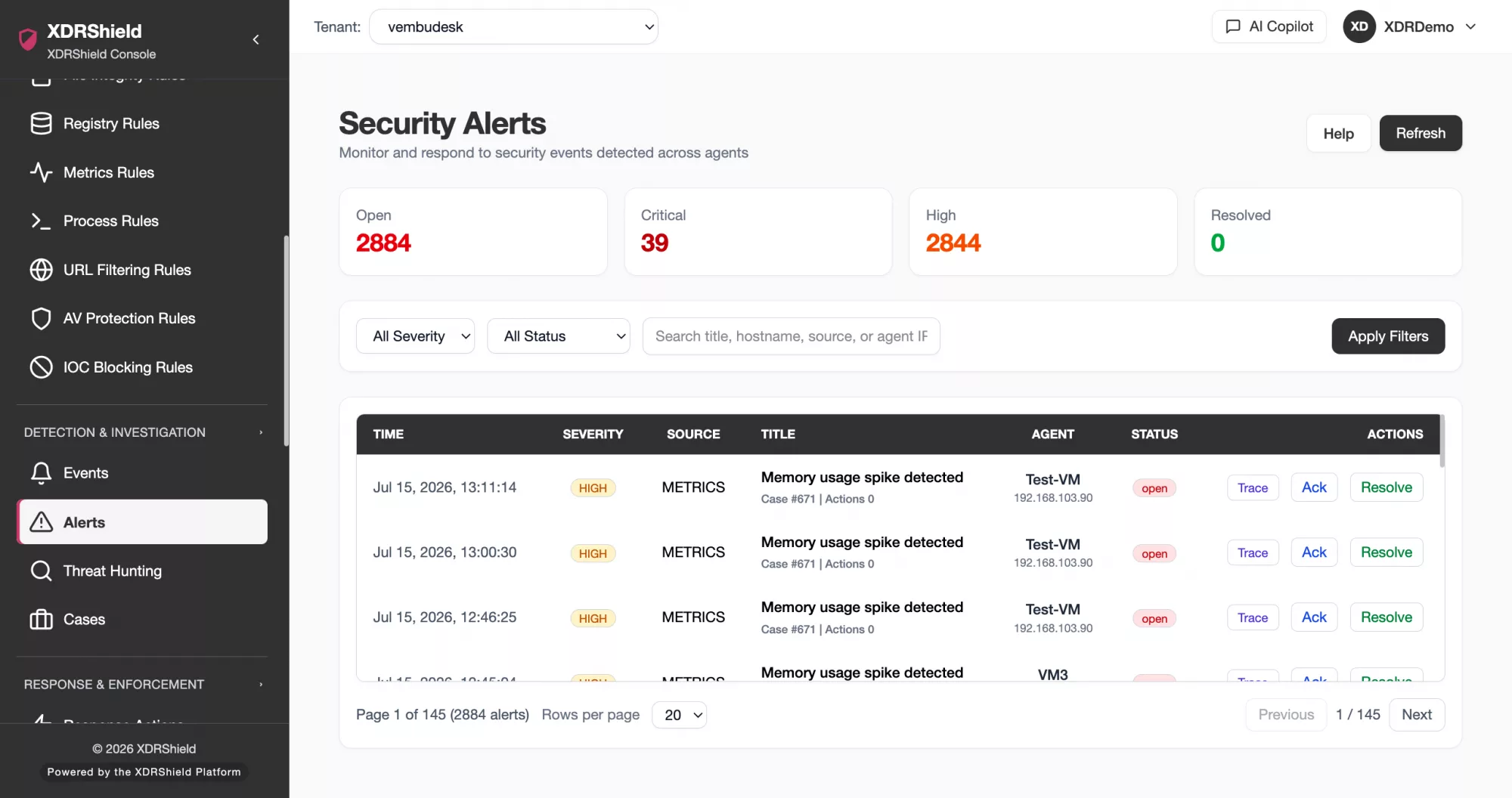
Security Events and Alert Triage
Start investigation from searchable events and alerts, keeping severity, source, endpoint, timestamp, and evidence context visible before decisions are made.
- Review relevant security events without separating them from alert context
- Filter by severity, time, endpoint, customer, or status to reduce noise
- Keep raw evidence available for escalation, case work, and follow-up review
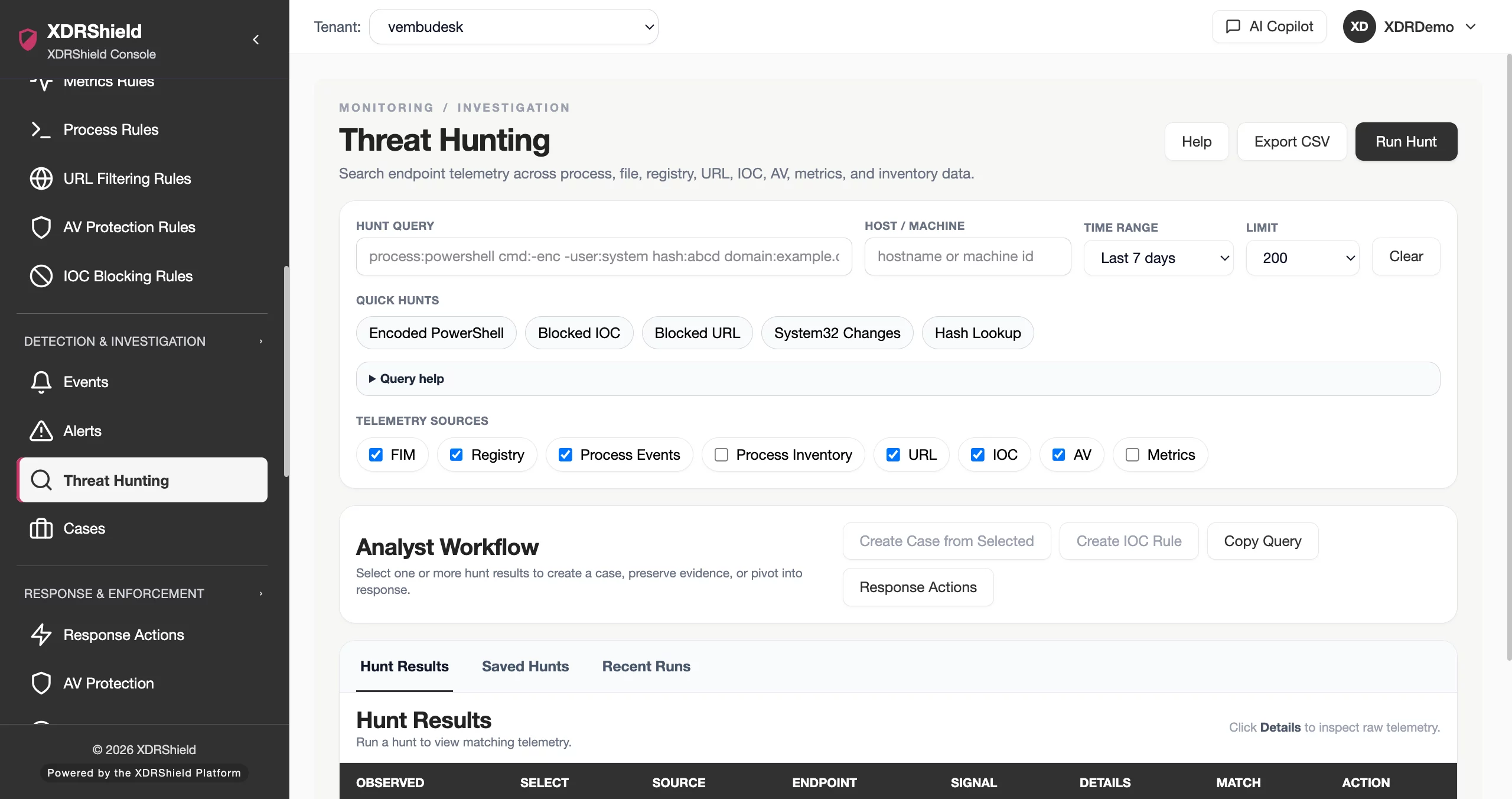
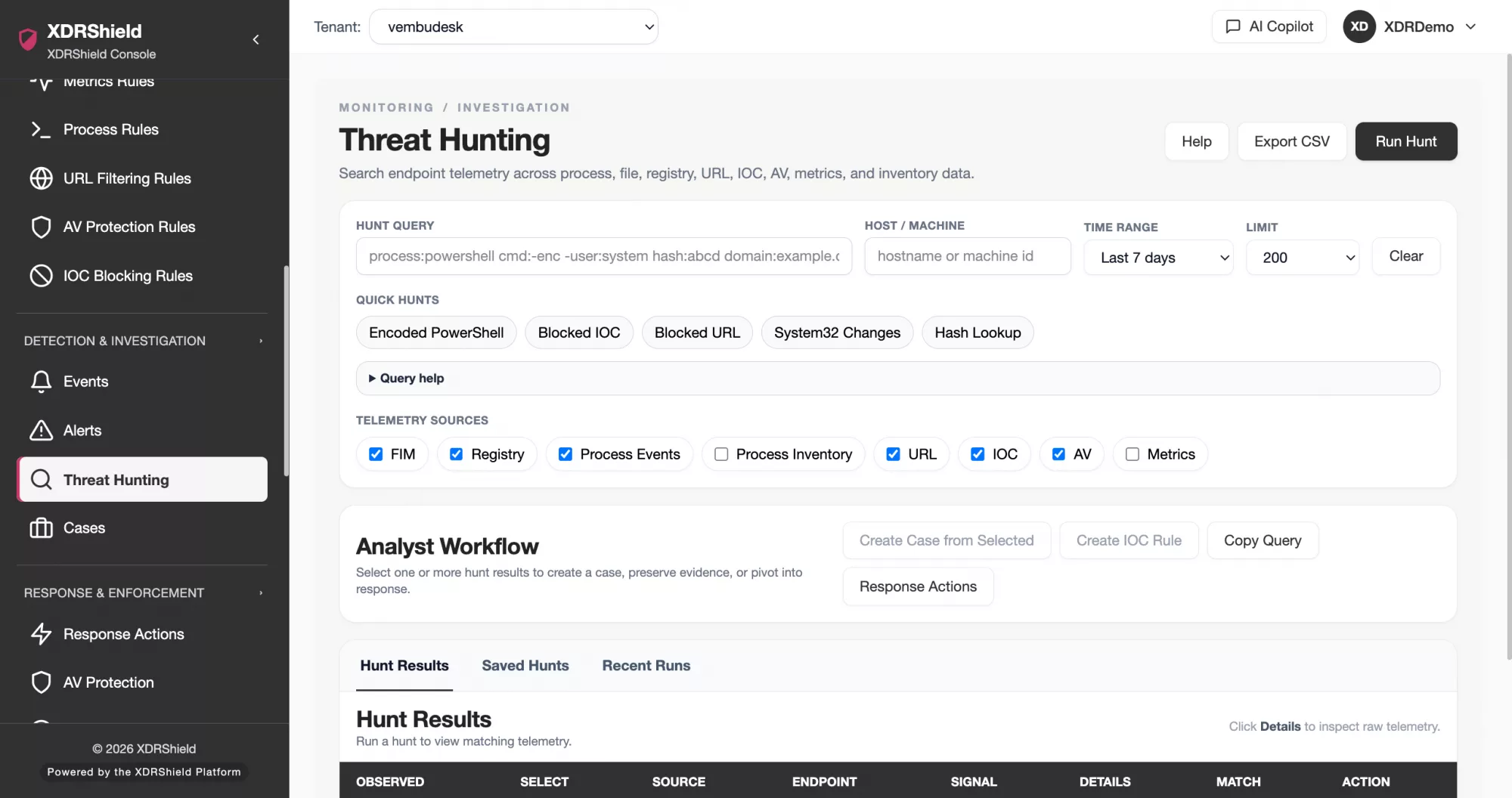
Threat Hunting Search and Saved Hunts
Use threat hunting to search retained evidence, inspect matched fields, preserve useful searches, and move from a hypothesis to a repeatable investigation workflow.
- Run focused searches across retained evidence and supported telemetry
- Save repeatable hunts for recurring investigation questions
- Use hunt findings to create case context instead of leaving evidence isolated
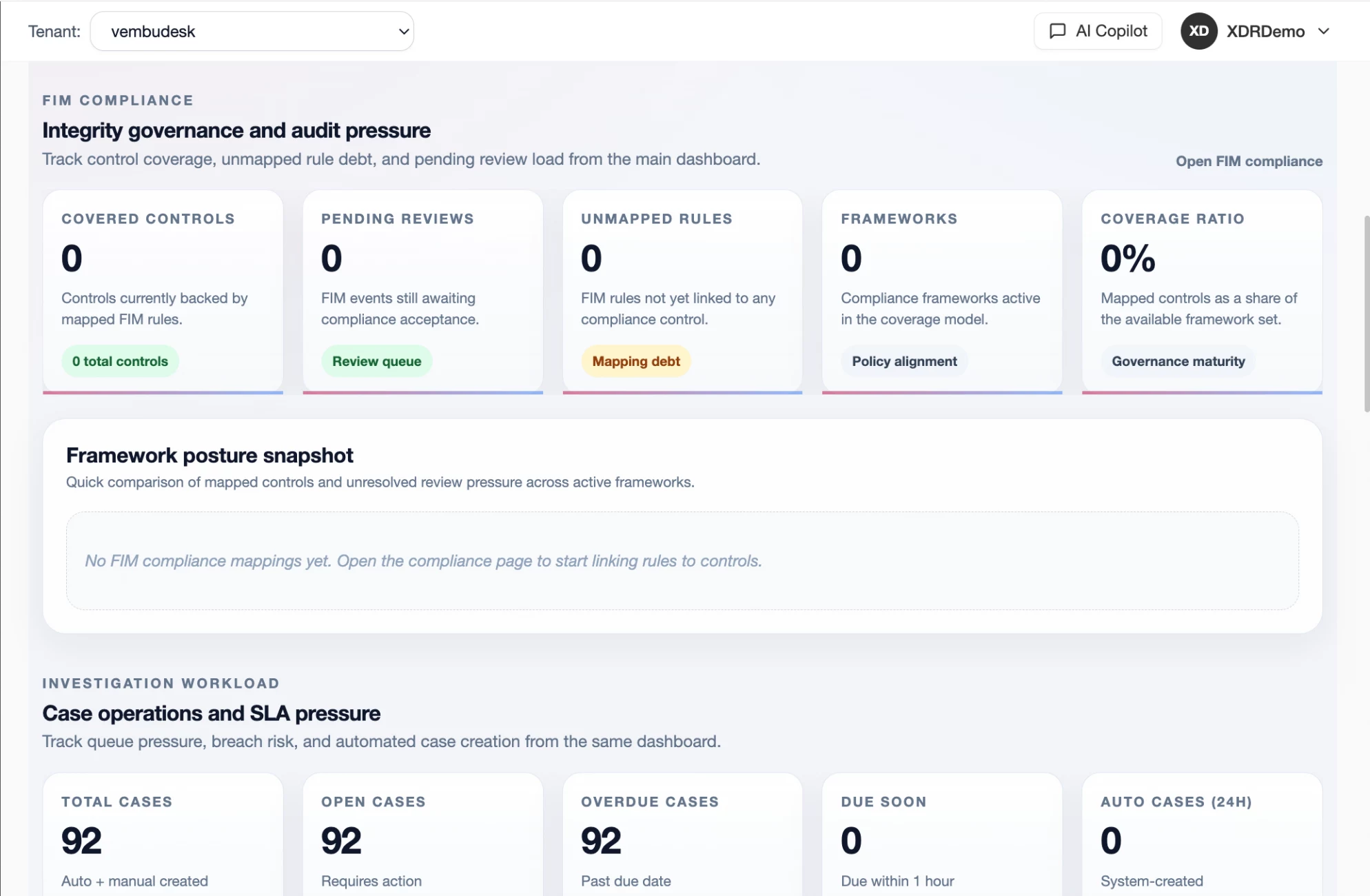
Cases, Ownership, and SLA Control
Turn triage into managed work by grouping related evidence into cases with owner, priority, status, timeline, and resolution context.
- Assign investigation ownership and priority without losing evidence
- Track case status, SLA pressure, notes, and decisions
- Maintain a working record that SOC, IT, and service-provider teams can review
Investigation Timelines and Evidence History
Keep key activity in chronological order so analysts can see how an alert moved from signal to review, escalation, response, and closure.
- Review timeline entries, evidence additions, comments, and status changes
- Understand when activity happened and who handled it
- Support post-incident review with an accountable investigation record
Response Action Handoff
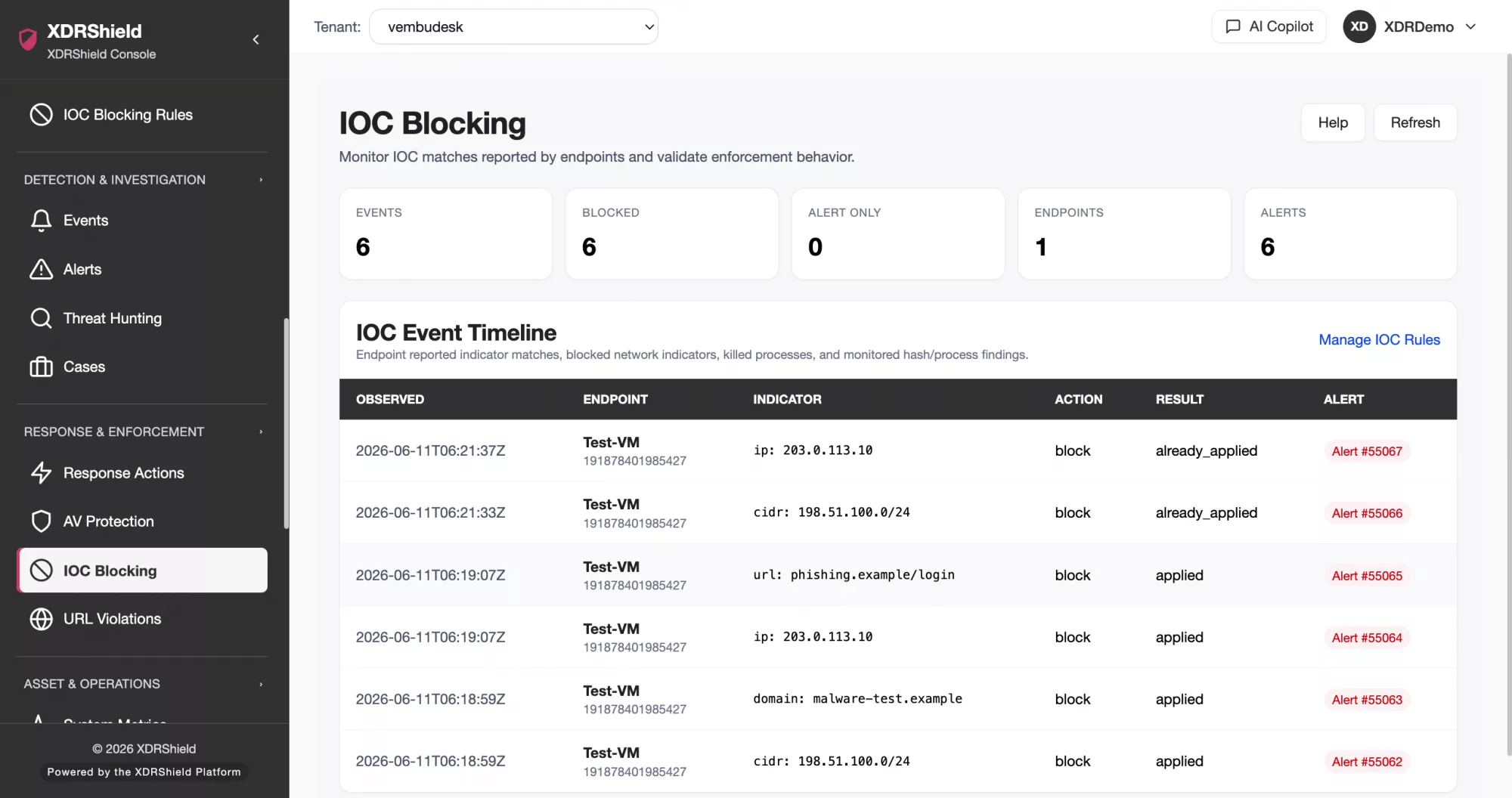
When investigation confirms risk, move into governed response workflows that preserve request, approval, execution, result, and reason context.
- Separate investigation decisions from disruptive response actions
- Use approval-aware workflows where containment or enforcement is supported
- Keep response outcome linked back to the case and evidence record
IOC, Process, and Endpoint Context
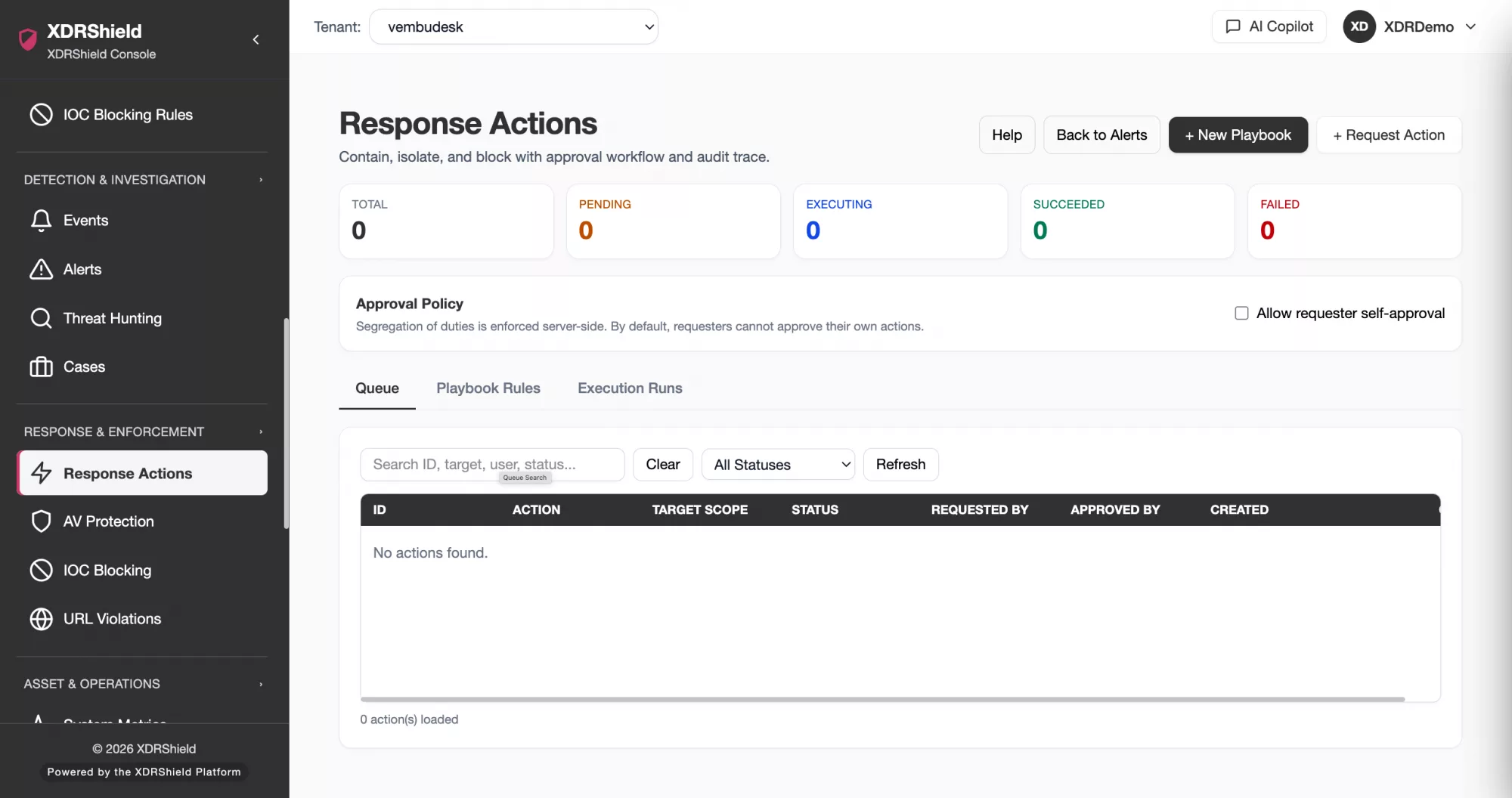
Enrich hunts and cases with endpoint detection layers such as process activity, IOC findings, file or registry changes, URL activity, antivirus findings, and endpoint state.
- Pivot from investigation into endpoint evidence and monitoring layers
- Use process and IOC context to validate suspicious behavior
- Reduce blind spots by keeping endpoint state and freshness visible
Asset and Vulnerability Context
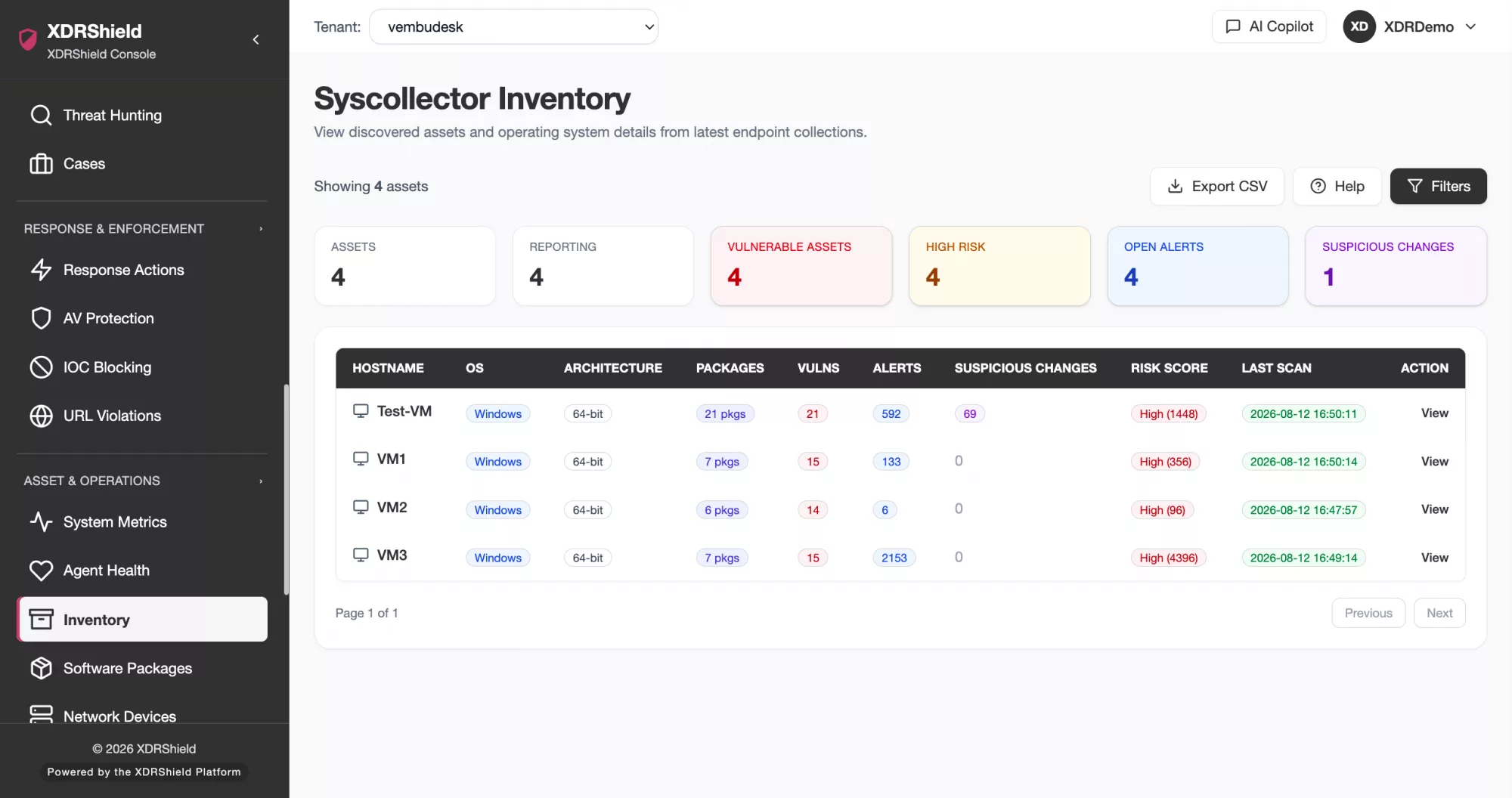
Use inventory, OS, software, package, network, and vulnerability context to understand affected assets and exposure during investigation.
- Identify the endpoint, installed software, and relevant exposure details
- Distinguish endpoint risk from isolated alert noise
- Give responders asset context before containment or remediation
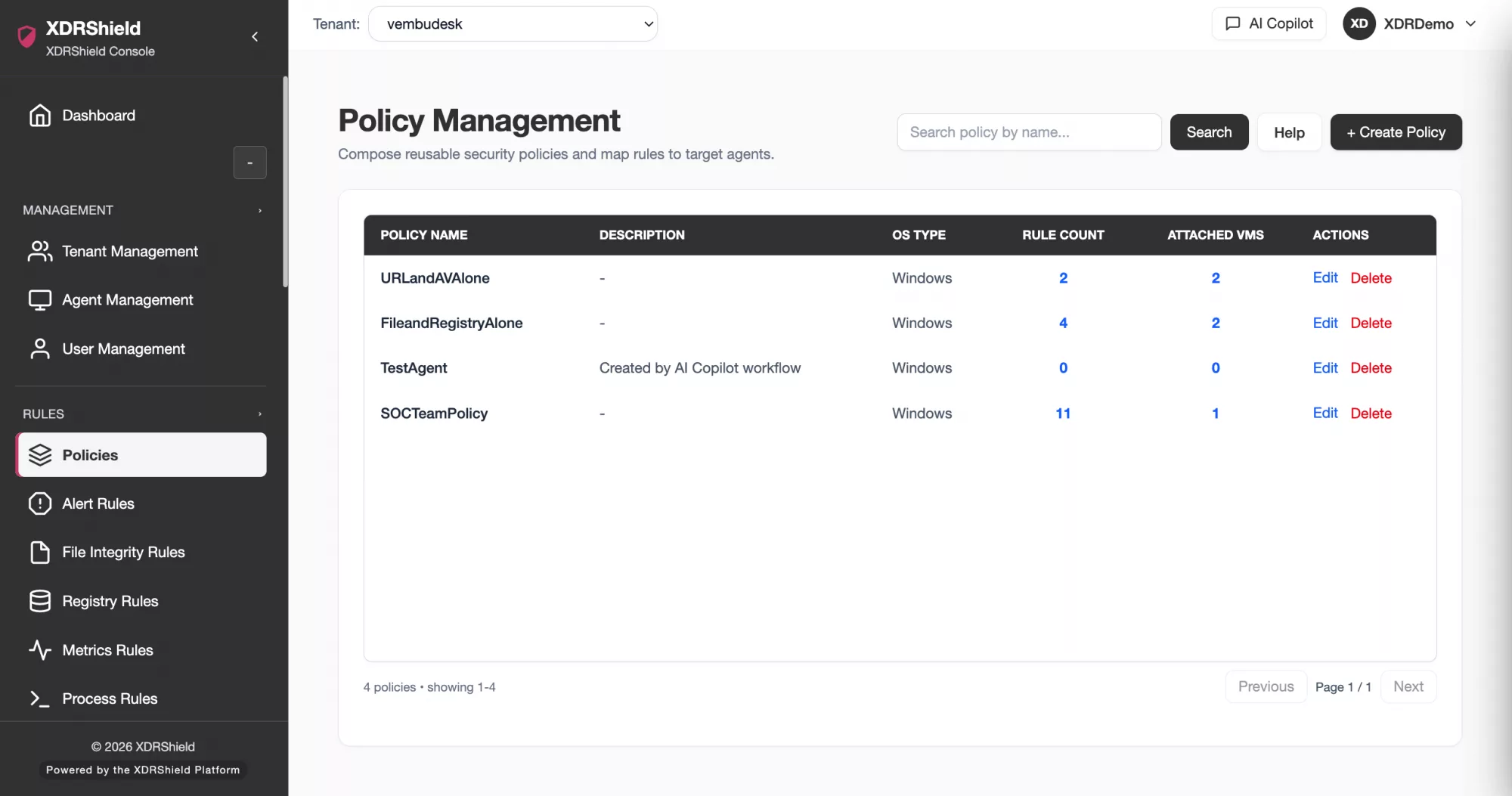
Rules, Policies, and Detection Tuning
Feed investigation findings back into detection rules, policy assignment, alert logic, and monitoring coverage so repeat issues become easier to catch.
- Tune detection rules based on investigation outcomes
- Confirm policy assignment and synchronization state before relying on coverage
- Standardize detection behavior across compatible endpoints and tenants
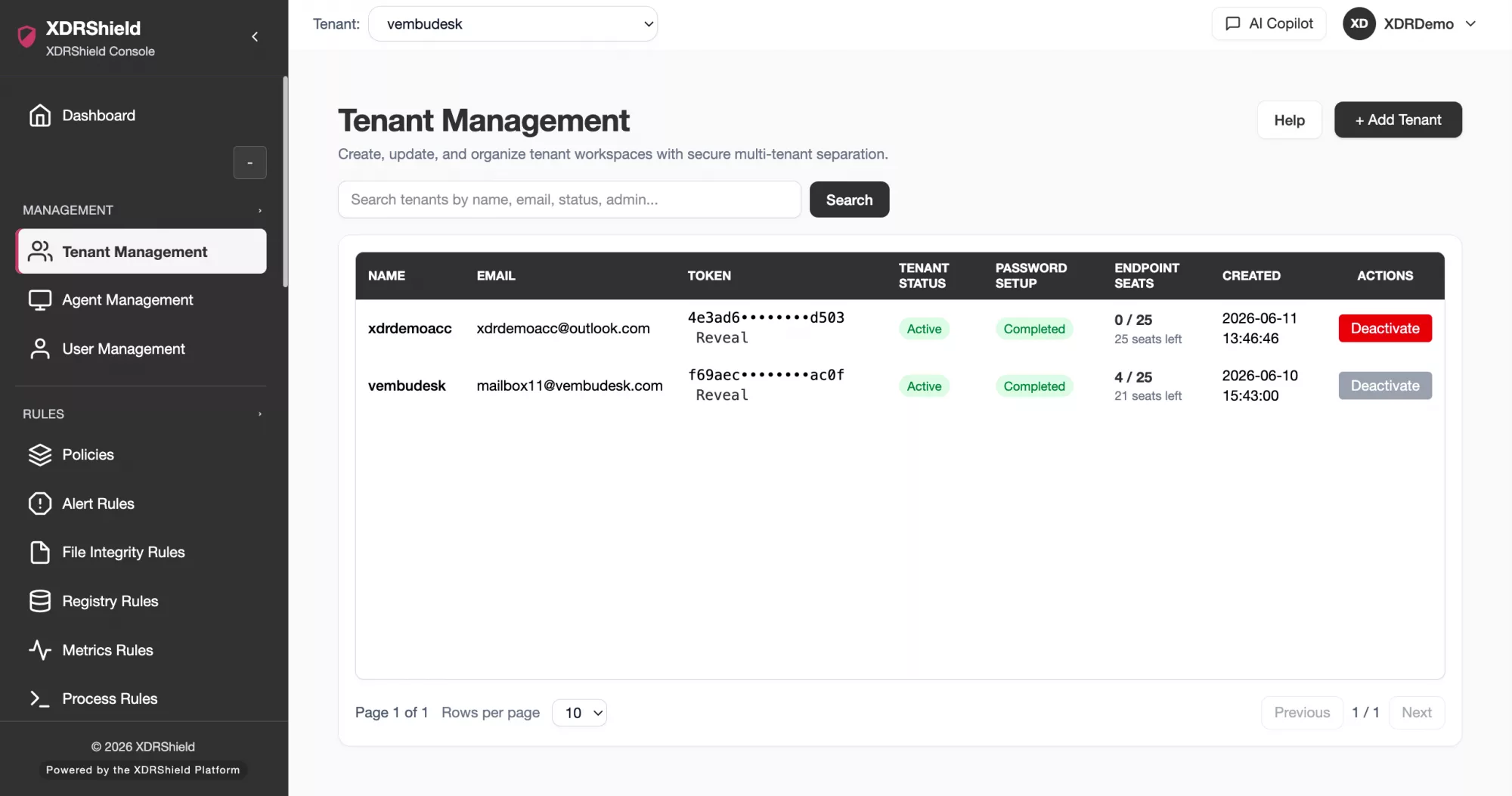
Tenant-scoped Casework for MSPs
Preserve customer, tenant, workspace, role, and audit boundaries while teams investigate across many environments.
- Keep customer evidence separated by tenant and workspace
- Support service-provider workflows with scoped access and ownership
- Review activity and operational records without crossing customer boundaries
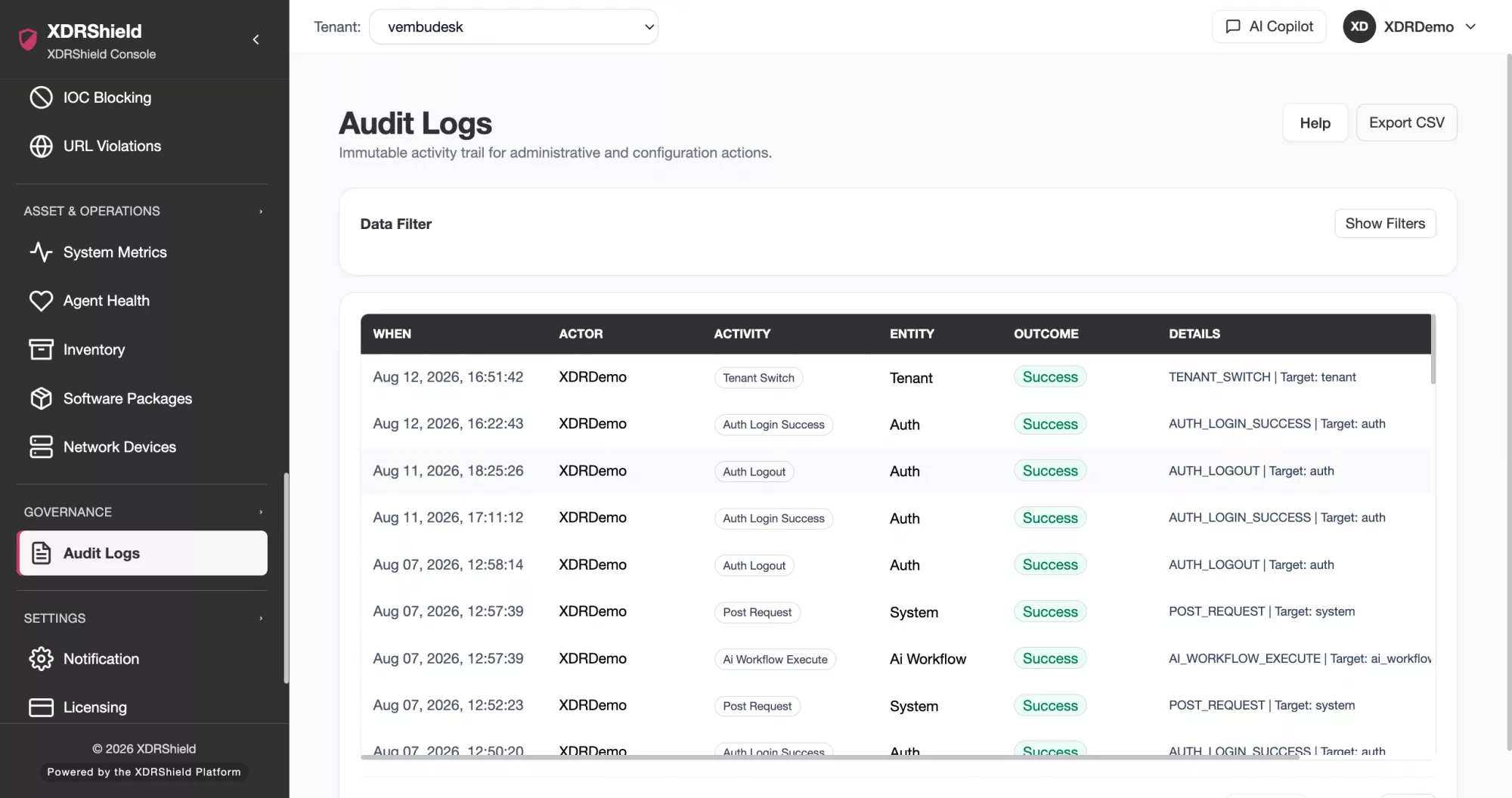
Governed Resolution and Audit Record
Close the loop with approved actions, resolution notes, activity history, and audit-ready records that show what was reviewed and why.
- Preserve approval, rejection, retry, and result context for response actions
- Document resolution decisions in case and activity records
- Support accountable operations without promising unsupported automation
Threat hunting and case investigation FAQs.
What is threat hunting in XDRShield?
Threat hunting in XDRShield helps analysts search retained evidence, inspect suspicious activity, save useful searches, and use findings to support alerts, cases, response decisions, and detection improvements.
How are cases different from alerts?
An alert is a surfaced signal. A case is managed investigation work that can include related evidence, ownership, priority, status, notes, timeline activity, and resolution context.
Can MSPs use this across multiple customers?
Yes. XDRShield is designed to preserve customer, tenant, workspace, role, and access boundaries so service-provider teams can investigate without mixing evidence across environments.
How does investigation connect to response?
When investigation confirms risk, supported response actions can move through governed workflows with request, approval, execution, result, and reason context preserved for review.
Does this replace detection rules and policies?
No. Investigation complements rules and policies. Findings from hunts and cases can help teams tune detection coverage, policy assignment, notifications, and response procedures.
Bring hunting, cases, timelines, and response decisions together.
Use XDRShield to move from security signal to evidence-led investigation, accountable ownership, and governed resolution.












